
Patient Intake: Best Practices to Prevent Painful Paperwork
As a medical professional, you know the pain of watching staff decipher handwriting and manually enter data that should already be in your system. However, you likely know the frustration as a patient, too: getting saddled with a clipboard of redundant forms that serves only to increase your stress and delay your day.
This traditional, paper-and-pen patient intake process isn’t just an inconvenience; it is a bottleneck that limits the efficiency of the entire practice.
Moreover, as of 2025, the stakes have never been higher. The average wait time for a physician appointment has climbed to 31 days, and 27% of patients cite "seeing a practitioner quickly" as their #1 healthcare challenge. Naturally, when they finally get that coveted slot, they expect efficiency—and your practice has to deliver to win their loyalty and build relationships.
However, with the help of purpose-built technology and smart workflow updates, you can wow your patients and boost your reputation. This guide will walk you through how to do just that with modernized patient intake tools.
Table of Contents:
- Patient Intake FAQs
- Common Patient Intake Modernization Pitfalls to Avoid
- Best Practices to Improve Patient Intake
- Patient Intake Software Essentials
Patient Intake FAQs
What is patient intake?
Patient intake is the process by which healthcare practices collect essential demographic, clinical, and financial information from patients before their medical visit. This includes information like:
- Insurance details
- Medical history
- Day-of appointment context
- Consent forms
- Payment information
Why does efficient patient intake matter?
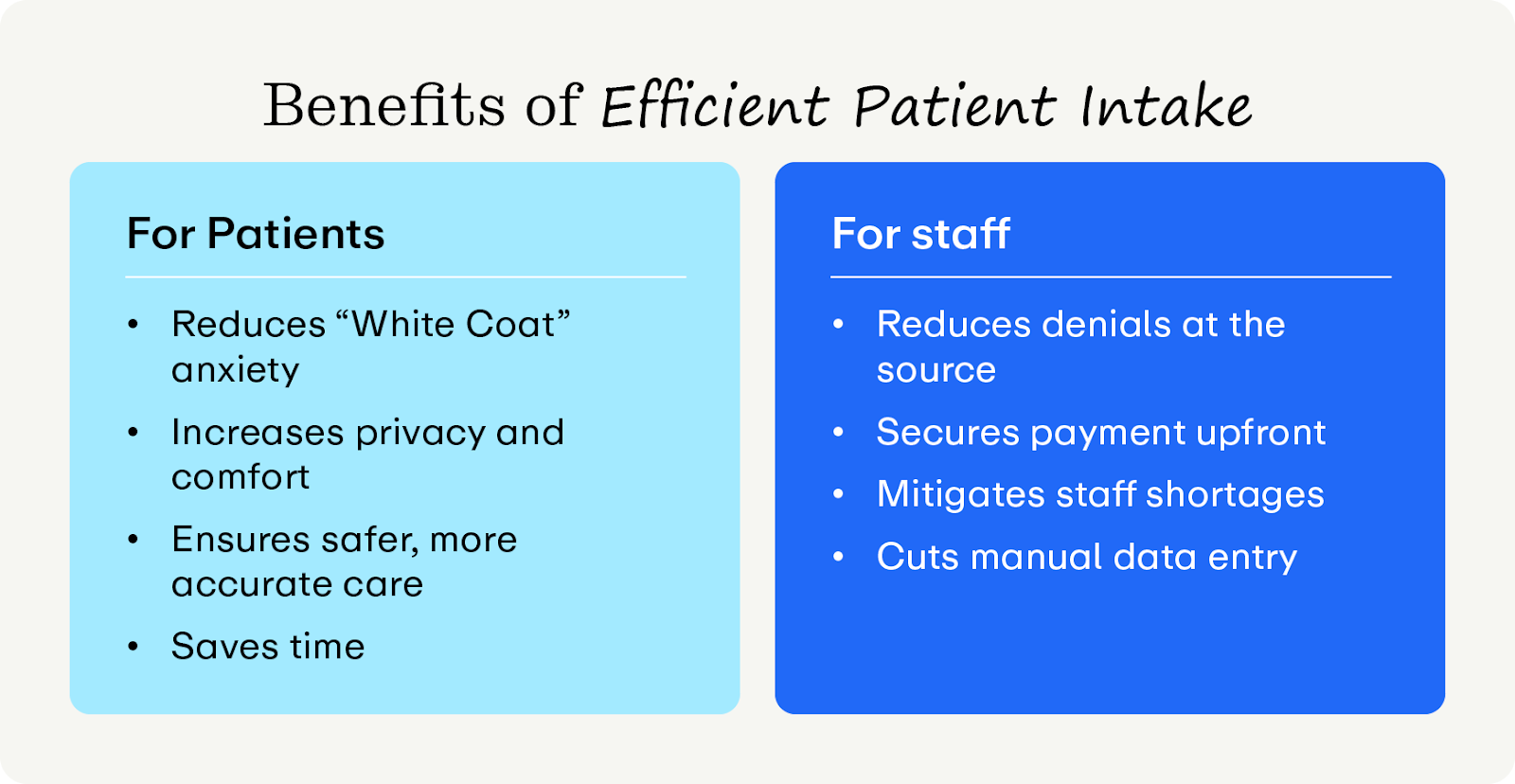
Traditionally, medical staff capture intake information with a static, paper form after the patient checks in at the practice. However, this dated format only slows you down and introduces the risk of human error. Here are some other benefits of streamlining patient intake with technology:
Benefits for Patients
- Saves time: Efficient intake ensures patients get seen faster, respecting their schedules and reducing the frustration of waiting in a lobby.
- Reduces "White Coat" anxiety: Patients can complete complex medical histories in the privacy and comfort of their own homes, rather than feeling rushed and stressed in a medical environment.
- Increases privacy and comfort: Digital forms give patients a discreet way to share sensitive health history (such as substance use or mental health) without speaking aloud or writing on a clipboard in a crowded room.
- Ensures safer, more accurate care: When patients have time to double-check important information (e.g., their medication dosage or specific surgery dates) at home, the data is more likely to be accurate. This ensures the doctor doesn’t miss critical details due to illegible handwriting or memory lapses.
Benefits for Staff
- Stops insurance denials at the source: Registration and eligibility errors account for roughly 24% of all claim denials. Efficient intake validates insurance coverage before the patient arrives, preventing costly retroactive rejections.
- Secures payment upfront: By capturing credit cards on file and collecting copays during the digital registration phase, practices secure revenue immediately and drastically reduce the cost of backend collections.
- Ends manual data entry: Digital forms eliminate the need to decipher handwriting and manually re-enter data, saving hours of labor—not to mention, reducing the risk of human error.
- Mitigates staff shortages: In an era of high turnover, automated intake acts as a digital assistant, allowing your practice to function smoothly even when the front desk is understaffed.
What does an efficient patient intake process look like?
An efficient process unlinks the administrative work from the physical appointment. It transforms the waiting room into a quick pass-through zone. Here is what the modern standard looks like:
- Smart intake links: The process begins the moment the appointment is booked. Whether the patient schedules online or over the phone, they immediately receive a secure link to their registration forms via their preferred communication channel.
- Automated delivery and nudges: If the forms aren't completed, the system automatically sends "nudge" reminders via SMS or email 3–7 days before the appointment. This ensures the practice isn't chasing patients manually and provides peace of mind to the patients.
- Mobile-first design: The experience is native to the device patients use on the go: their smartphone. Patients can easily tap through forms, give consent, and upload photos of their ID and insurance cards directly from wherever else they are.
- Smart logic (conditional questioning): The forms adapt in real-time. For instance, an orthopedic patient visiting for "Knee Pain" is only asked knee-related questions. This keeps the process short, relevant, and engaging.
- Real-time sync: As the patient hits "Submit," the data writes back directly to the Practice Management (PM) system. There is no PDF to download and no data to type, so the chart is prepped before the patient drives to the office.
- Zero-contact arrival: On appointment day, the patient simply walks in and clicks an "I'm Here" button on their phone. The front desk greets them, verifies their identity, and they move straight to the clinical room. That’s it—the paperwork and payments are already done.
Common Patient Intake Modernization Pitfalls to Avoid
Even practices with the best intentions can stumble when trying to modernize. Avoid these strategic errors that can alienate patients and hurt your bottom line.
- Overwhelming patients with unwieldy forms. Sending a patient a long, cumbersome digital page causes "form fatigue." The result? High abandonment rates. Patients will put off completing form intake as long as possible, defeating the purpose of convenient intake software.
- Requiring logins. Forcing patients to create a username and password or download a specific app just to fill out a form drives down completion rates. Consider how many passwords your patients must remember; adding to the pile just makes patients less likely to complete intake. (We’ll explore how to maintain a HIPAA-compliant, no login form later!)
- Ignoring the financial opportunity. Don’t treat intake purely as a clinical history task and leave payment collection for the front desk or post-visit billing. Once a patient leaves the office, the likelihood of collecting a copay or deductible drops significantly. Failing to capture a card on file during intake increases your Days Sales Outstanding (DSO) and debt.
8 Best Practices to Improve Patient Intake
Transforming your intake process requires a mix of strategy and technology. Use these steps to set a strong foundation for your practice’s intake process:
.png)
1. Go digital and ditch physical paperwork whenever possible
Paper forms are insecure, expensive to store, and prone to destruction. To truly future-proof your practice, your goal should be to digitally capture all of your information. This does not mean scanning paper forms; it means capturing discrete data digitally from the start. This protects patient health information and creates a searchable, data-rich chart that improves clinical decision-making.
2. Enable pre-appointment intake
Shift the workload from "Day of Service" to "Pre-Service." By sending forms several days in advance, you give patients the time they need to find and input their information stress-free. Try this cadence to maximize patient adherence:
- 3-7 Days Prior: Send initial link via Email/SMS.
- 24 Hours Prior: Send a reminder text if forms are incomplete.
- 2 Hours Prior: Send a final "urgent" nudge.
3. Automatically verify insurance
Manual data entry leads to typos, and typos lead to denials. Use Optical Character Recognition (OCR) technology that allows patients to snap a photo of their insurance card. Then, the software extracts the Member ID and Group Number automatically, eliminating human error.
Then, once you capture the information, verify it as soon as possible. With the right insurance verification software, you can validate insurance information on the spot and reach out to the patient proactively if there are any errors. That way, you avoid any surprise bills and keep the entire healthcare process as painless as possible.
4. Sync data directly with your PM system
If your PM solution simply emails you a PDF that staff must input back into the system, you haven't solved the labor problem. You need discrete data write-back, which means that patient information is automatically entered into your software instead of being cycled out. When a patient types "Allergy: Penicillin" on their phone, that data should populate the "Allergies" field in your PM system instantly.
5. Collect payments and cards on file upfront
Moving the financial transaction to the intake phase is essential for reducing patient turnover and securing revenue faster. Plus, it’s also more convenient for the patient because they can provide all important information simultaneously instead of filling out two rounds of paperwork.
Require a credit card or an HSA on file to hold the appointment slot. This drastically reduces no-shows and eliminates the need to hound patients after appointments.
Improve this process further by presenting an initial cost estimate during the digital intake. Patients are more likely to pay a copay on their phone if they see the breakdown of cost and insurance deductibles right on the screen. To achieve the most accurate estimate possible, your patient intake software needs to have real-time insurance eligibility checks (more on that later).
6. Shorten forms with conditional logic
Respect your patient's time by using "Smart Forms" to combat form fatigue. Configure your intake software to hide irrelevant questions based on previous answers.
For instance, if an otolaryngology (ENT) patient selects "Hearing Loss" as their chief complaint, the form should automatically skip unrelated sections about sinus pressure, sore throats, or swallowing difficulties.
7. Implement mobile check-in at the appointment
For the final step, enable an effortless, minimal-contact arrival that avoids waiting in line. Allow patients to click an "I'm here" link on their mobile device when they enter the lobby or even park their cars so you can remain ahead of schedule as much as possible.
8. Track wait times and intake metrics
Every practice has its own unique patient intake challenges that software can help address. Pinpoint your own unique bottlenecks by tracking metrics like:
- Door-to-exam room time: The total minutes a patient spends waiting at your office before seeing a provider.
- Pre-visit completion rate: The percentage of patients who finish paperwork before arriving.
- Registration-based denial rate: The frequency of claims rejected due to typo or eligibility errors.
- Form abandonment rate: The specific point in the digital questionnaire where patients tend to exit the form.
- Staff transcription time: The average time staff members spend manually entering data from a digital form into the PM system.
You can also track qualitative metrics with a simple satisfaction survey after the patient’s appointment, specifically asking about their experience using your PM software.
Patient Intake Software Essentials
Implementing these best practices is only possible with purpose-built patient intake software. To achieve the best patient intake process possible, ensure your patient intake software has these features:
- Mobile-friendly check-in forms
- Tablet-friendly kiosk mode
- Secure links that are sent via text or email
- HIPAA-compliant digital intake forms
- Pre-populated information fields
- OCR and barcode scanning
- Custom questionnaires and form creation
- Automated messaging specifically for outstanding consent forms
- Automatic insurance verification and patient cost estimates
- Co-pay and balance collection
- Automatic nudges to complete information before the appointment
- Multilingual support for patients

What’s the best patient intake software?
When you compare features, adoption rates, and financial impact, Promptly stands apart as the leading solution for modern medical practices. While many competitors offer digital forms, Promptly is the only platform built to seamlessly merge clinical intake with financial clearance. Here’s why we stand apart:
- Frictionless login-free access: Unlike competitors that force patients to manage clunky accounts and passwords, Promptly uses secure smart links (via text or email) with simple identity verification. This removes the friction of logging in, resulting in significantly higher patient adoption rates.
- Market-leading completion rates: Promptly’s intuitive workflow drives immediate action, delivering a 48.3% increase in pre-registration compared to one competitor and a massive 155% increase in pre-visit form completion compared to another system.
- Specialty-specific workflows: Built for complex specialties like ophthalmology and behavioral health, Promptly automates niche workflows that generic tools miss. This precise verification drives an anticipated 85% increase in pre-surgery collections for our users.
- Measurable operational ROI: By automating manual tasks and consolidating fragmented vendors into one dashboard, Promptly reduces patient wait times by 55.2% and cuts insurance verification labor by 60%. And our approach pays off: on average, practices save $88,000 and 1,728 staff hours annually.
- Intelligent data capture: Promptly leverages artificial intelligence (AI), OCR, and barcode scanning technology to instantly read insurance and ID cards, extracting data and putting it directly into the system. Furthermore, our forms pull existing data from your PM system to pre-populate fields, meaning patients never have to answer the same question twice.
- Proactive financial screening: Promptly’s system runs automated quick screens two days before appointments to identify insurance eligibility and approval status. By integrating financial intake with clinical registration, staff can identify financing options proactively rather than reactively.
Wrapping Up
Your intake process sets the tone for the entire patient encounter. A friction-free workflow does double duty, supercharging your practice’s efficiency and winning over patients by respecting their schedules. When you get the data right—without the hassle—you stop treating patients like paperwork and start engaging them as true partners in their care.
Want to learn more about patient intake and PM tech? We have you covered:
- Digital Patient Intake Guide for 2025: Key Insights for Healthcare Practices. Want to dive deeper into digital intake? This guide has the key insights you need.
- 7 Workflow Automation Strategies To Save 1,700+ Staff Hours Annually. You read that right! We’ve cracked the code of saving time and money, and you can learn all about it in this guide.
- Why Specialty Practices Need Integrated Digital Solutions Beyond Patient Portals. As previously mentioned, digital portals can be unwieldy and bog down the patient experience. Discover why and how to modernize your practice tech in this guide.
Sick of clipboard chaos?
Promptly has the perfect remedy for your waiting room woes.
Related Posts
About the author
Dr. Anish Kapur is a physician and tech entrepreneur advancing healthcare through innovation. He co-founded one of the first cloud-based EMR systems for specialists and now leads Promptly Technology Inc., whose Patient Experience Suite™️ helps specialty practices streamline workflows, boost patient engagement, and accelerate revenue—all in one modern platform.

Share this article:

We automate the tedious stuff so people can do the people stuff