
An Ultimate Guide to Automation in Healthcare: 15 Use Cases
Every minute a highly trained staff member spends manually copying data from an insurance card into a Practice Management (PM) software system is a drain on your revenue that bleeds profit margins and triggers burnout.
You’ve likely already heard about the future-forward answer to these issues: healthcare automation. While automated tools have become widely accessible and integrated into public life, the healthcare sector is lagging behind: only 40% of U.S. community hospitals report leveraging automation to address key operational challenges.
That means your healthcare practice has a critical opportunity in front of you. If you take it, you, can unlock your full administrative and clinical potential. In this guide, we’ll explore what healthcare automation is, how to implement it into your own practice, and how to choose the best tools for you.
Table of Contents:
- Healthcare automation FAQs
- Top use cases for healthcare automation
- How to get started with healthcare automation
- How to choose a healthcare automation platform

Healthcare automation FAQs
What is healthcare automation?
Healthcare automation is the use of technology—ranging from Robotic Process Automation (RPA) to Agentic AI—to perform repetitive, rule-based tasks without human intervention.
While advanced, user-accessible automation is a relatively new development in the healthcare software space, and it differs from the traditional process of digitization and the more widely-discussed AI workflows:
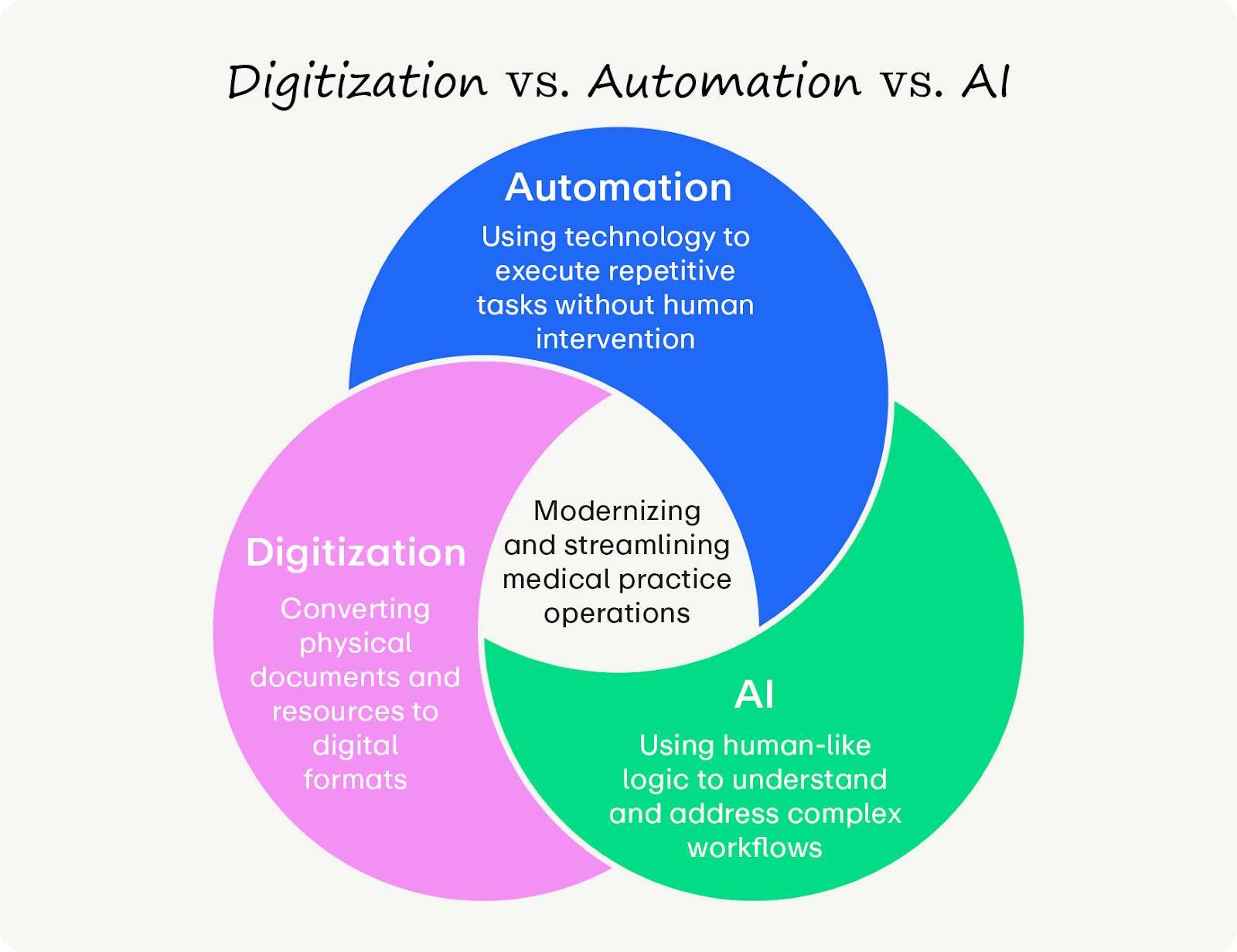
- Digitization is the process of converting information from an analog to a digital format. In a medical context, this typically involves scanning paper documents into static PDFs. While this transition reduces physical storage needs, it does not fundamentally alter the workflow; the data remains unstructured, requiring staff to manually read, interpret, and key the information into the Electronic Health Record (EHR).
- Automation is the application of technology to execute repetitive, rule-based tasks without human intervention. Distinct from digitization, automation utilizes technology to actively extract structured data from digital forms and populate the corresponding fields in the PM system, effectively eliminating the labor of manual data entry.
- AI (Artificial Intelligence) is the simulation of human cognitive processes by computer systems to analyze, reason, and learn. While automation executes tasks based on predefined rules, AI leverages machine learning to synthesize complex datasets, enabling it to predict outcomes (such as claim denials) or generate original content (such as clinical documentation) from unstructured interactions.
What are the benefits of healthcare automation?
Automation’s impact goes beyond saving time. Used well, automated workflows can future-proof your practice by improving:
- Staff retention: Reducing manual labor prevents burnout, which is a consistent threat in the healthcare space.
- Revenue generation: Using automation for recordkeeping is cleaner, more accurate, and results in payments hitting the bank weeks sooner.
- Risk reduction: Healthcare data is highly sensitive and must be protected. Vetted automated processes create an immutable audit trail, increasing security compared to human handling and preventing errors.
Who can benefit from healthcare automation?
Medical practice staff and patients can benefit from a comprehensive automated healthcare system! You’ll just need to understand what the new workflows look like so you can adjust them for your own needs. Here are some common ways different healthcare stakeholders can benefit from automation:
- Clinical staff can improve care quality by eliminating time-consuming, repetitive work.
- Administrative leaders can boost productivity and revenue, helping with long-term strategic success.
- Patients can gain faster access to care with reduced wait times and self-service platforms.
What do new automation workflows look like?
Many practices believe they are automated simply because they use an Electronic Health Record (EHR). However, if your staff is still manually clicking "Check Eligibility" or typing demographic data, you are using a legacy workflow. Check out the nuances between these two workflow styles:
The difference between these two workflows is the difference between a practice that scales and one that stalls. Modern automation moves you from reactive correction to proactive revenue management.
Top use cases for healthcare automation
To truly modernize, you must look beyond basic scheduling. While traditional automation handles simple tasks, modern Intelligent Automation pairs those workflows with AI to handle complex decisions.
Smart automation serves three general functions: generating revenue, driving efficiency, and enabling clinical care.
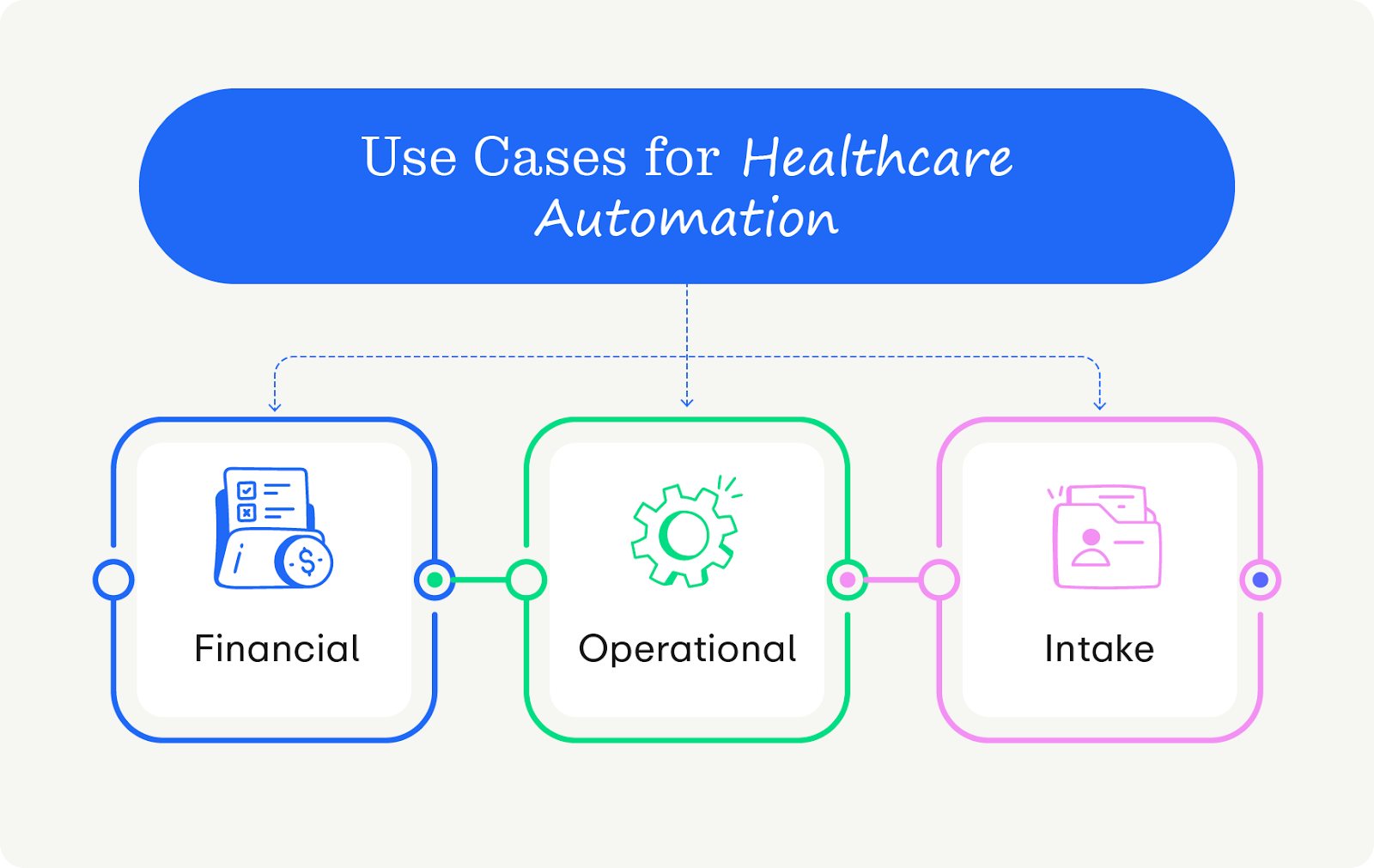
Financial Automation
These tools protect your bottom line by using predictive algorithms to stop denials before they happen.
- Real-Time Eligibility (RTE) checks: Instead of a single manual check, automation confirms insurance coverage 48 hours prior to and on the morning of the appointment to mitigate surprise costs.
- Automated prior authorization prediction: AI flags specific insurance codes that require authorization before the patient arrives, preventing retroactive authorization headaches.
- "Propensity to Pay" scoring: Algorithms analyze patient data to automatically suggest the correct payment plan or financial aid options, removing the guesswork for financial counselors.
- Smart denial triage: Automated tools categorize incoming denials by error code and route them to the specific work queue best suited to fix them—or even auto-appeal simple technical errors.
- Auto-reconciliation: The system automatically matches bank deposits to posted payments in the PM software, eliminating hours of manual spreadsheet reconciliation.
Operational Automation
These workflows keep the practice running smoothly and drive patient volume without increasing administrative burden.
- Automated reputation management: The moment a patient checks out, the system automatically texts them a Google Review link. Satisfied patients can leave a great review right from their phone, whereas patients with constructive feedback can connect with your team for service recovery.
- Smart waitlist management: When a patient cancels, the system strategically texts the right patient (based on provider match and acuity) to fill the slot, increasing the likelihood of filling it.
- Automated governance and audit trails: Unlike humans, automated tools log every single action. Automation ensures compliance by verifying that every chart access is authorized, instantly flagging anomalies for compliance officers.
- Automated credentialing: Automated tools scrape state board databases to verify provider licenses and DEA renewals, ensuring no clinician ever works with an expired credential.
- Referral loop closure: These tools automatically send a status update and "Thank You" note to referring providers the moment the patient is seen, protecting your referral streams without faxing.
Clinical and Intake Automation
These tools use AI to help you tactically analyze data, freeing up clinicians to focus on patient outcomes instead of data entry.
- Optical Character Recognition (OCR): Staff scan a driver's license and insurance card, and the AI extracts the data to populate the chart automatically.
- Ambient clinical scribing: AI records the patient visit and drafts the SOAP note in real-time, saving providers hours of post-appointment documentation.
- Risk mitigation: The system scans the schedule to identify patients at risk of hospital readmission or chronic disease complications (e.g., a diabetic patient who has missed two consecutive check-ups), flagging them for proactive outreach from their care teams.
- Post-op exception monitoring: Automated texts ask patients simple personal questions about their state of mind or pain level. The system only alerts a nurse if the questions warrant a follow-up.
- Split-benefit logic: Uniquely valuable for specialists, this automation routes claims between different types of insurance (e.g., Medical and Vision plans for Ophthalmology clinics) based on the diagnosis code without human intervention.
How to get started with healthcare automation
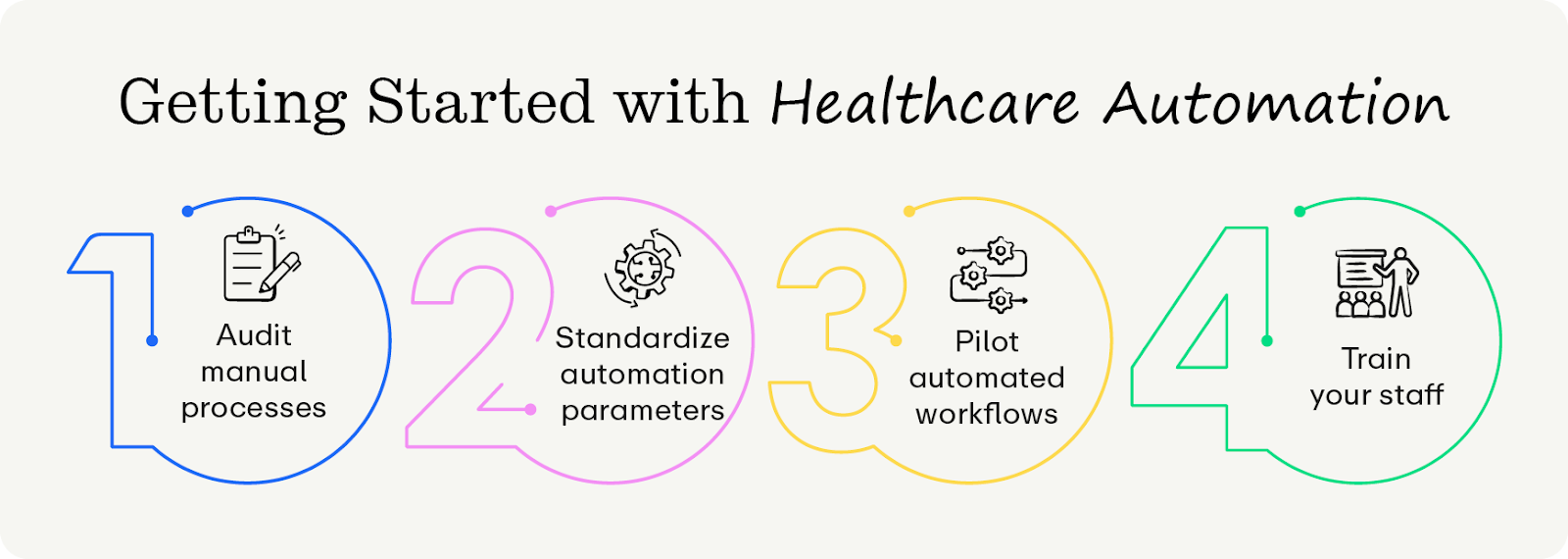
Phase 1: Audit your legacy processes
Before evaluating vendors, you must quantify your current inefficiency. You cannot manage what you do not measure. Get started by:
- Mapping the touchpoints. List every single human interaction in the patient journey, such as communication channels, intake methods, and copay collection.
- Calculate the cost: Use this formula for each task: (Volume/Week) x (Minutes per Task) x (Staff Hourly Rate). For example, if your team spends 20 hours/week calling for reminders at $22/hr, the cost of your manual labor is $22,880/year. This isn’t an exact science, but it’ll at least get you a ballpark figure to work with.
- Identify the bottleneck: Based on the figures you calculated, create a prioritized list of fixes. Start small—attempting to automate everything at once might actually slow down your processes further.
Phase 2: Standardize before you automate
Automation requires predictable rules and guardrails to ensure everyone stays on track. Standardize your tasks by:
- Unifying the forms: Ensure all practice locations and departments use the exact same intake questions and consent forms.
- Defining optimal workflows: Map out the ideal workflow (e.g., Patient schedules online → Receives text → Completes forms → Arrives → Seen quickly).
- Plan for contingencies: Decide exactly what happens when things go wrong (e.g., an RTE check finds a patient’s insurance is invalid). Who handles it, what do they do, and when do they do it?
Phase 3: Pilot new protocols
Automation requires trial and error to perfect. Start small with a pilot program for only certain teams to fix issues before rolling automation out to the larger group. You can do so by:
- Selecting a pilot site: Choose one location or one specific physician who is tech-savvy and has a stable staff.
- Integrating the workflows: Run the automation alongside your manual process for a few weeks to verify accuracy and record results.
- Gather feedback: Ask staff at the pilot site about their experiences. Gather qualitative and quantitative data so you can fix friction points before the wider rollout.
Phase 4: Take on training and change management
Any sort of large-scale workflow change can be daunting for your staff. To ensure everyone has a great experience and accepts the new workflows, prioritize strategic change management workflows (which facilitate tech adoption). Keep these tenets in mind:
- Involve front-line users in decision-making. Leaders must involve front-line staff in the implementation process early on to address concerns and build buy-in. Set aside times for higher-level staff to hear from other staff members in a town hall format and use an anonymous feedback form.
- Recognize and assuage concerns: AI and automated tools are polarizing, especially in the context of workflow automation. Welcome, listen to, and respond to any staff concerns. Throughout the process, clearly demonstrate to your team how new tools are designed to support their clinical judgment and patient relationships, not replace them.
- Prioritize digital fluency training: Focus AI training on understanding how the tool works, not just which buttons to click. This education and data literacy ensures staff can use AI safely and effectively. For instance, rather than simply teaching a nurse which menu opens the automated documentation tool, educate them on how the algorithm synthesizes patient data so they can critically audit the AI-generated notes for accuracy and safety.
- Establish AI governance and use policies: Create a safety net for your staff by forming multidisciplinary committees to oversee AI policies and ethical use. This shared governance structure gives employees a meaningful platform to influence decisions that affect their work, which is proven to reduce burnout and increase retention.
How to choose a healthcare automation platform
The healthcare software market is saturated with point solutions that solve one specific problem while creating new data silos that fracture your operations. To avoid buying redundant or irrelevant products, use these selection criteria to rigorously vet potential partners and ensure they can scale with your organization:
- Discrete data write-back. If the system only attaches a PDF of an insurance card, it isn't automation; it's just digital storage. True automation types the data directly into your PM software fields. Additionally, your systems can sync with each other to ensure data flows in real-time, preventing the schedule conflicts common with batch sync tools.
- Agentic workflows. Generic platforms aren’t ideal for specialty cases, so look for those tools that can handle your unique needs. That’s where Agentic capabilities can help manage specialty cases. While standard automation is advisory (alerting you to a problem), agentic automation is autonomous (fixing the issue itself).
- Security and governance. Never accept anything less than SOC 2 Type II Certification, which proves rigorous, audited security controls. Furthermore, ensure your software can create granular audit trails that show exactly which bot accessed which chart and when, ensuring full HIPAA compliance for automated actions.
- Quality support. Self-serve platforms often aren’t enough for complex medical groups. Ensure the vendor provides a dedicated implementation manager and offers comprehensive support materials.
What is the best healthcare automation platform?
Promptly is the superior choice for medical groups seeking total operational modernization. While other platforms rely on legacy workflows, Promptly utilizes cutting-edge tools like AI-driven OCR, unlimited Real-Time Eligibility (RTE) checks, and deep integration to automate busy work in the background. Here’s why Promptly checks all the boxes:
- Financial rigor: We don't just check eligibility—we use Patient Cost Estimates (PCE) to calculate patient responsibility and secure payment upfront, driving an anticipated 85% increase in pre-surgery collections
- Total consolidation: We roll your intake vendor, payment processor, engagement tool, and reputation management software all into one powerful tool. Most users consolidate over four distinct software services, saving the average practice $88,000 annually.
- Proven results: Practices using Promptly achieve a 60% decrease in insurance verification labor, a 48% gap closure in verified insurance coverage, and up to a 90% reduction in no-show rates.
Wrapping Up
The days of accepting administrative friction as the cost of doing business are over. By shifting from legacy digitization to true agentic automation, you stop the silent revenue leakage that threatens your practice's viability. Don't wait for another month of write-offs to force your hand—conduct an audit of your manual touchpoints today to quantify exactly what inaction is costing you. If the price of that manual labor outweighs the investment in modernization, the choice to upgrade your operations is clear.
Looking for more information about automation in healthcare? We’ve got you covered.
- Digital Patient Intake Guide for 2025: Key Insights for Healthcare Practices. Patient intake is an essential part of insurance eligibility verification. Use this guide to understand where you stand.
- 7 Workflow Automation Strategies To Save 1,700+ Staff Hours Annually. In the healthcare world, time is money. We’ve cracked the code of saving time and money with smart workflows, and you can get started with this guide.
- Healthcare Software Consolidation: Benefits of Integrating Multiple Platforms. Why keep disparate platforms when you can have them all in one place? Learn more benefits of software consolidation in our guide.
Give your practice the digital revamp it deserves and leave the paperwork in the past.
Related Posts
About the author
Dr. Anish Kapur is a physician and tech entrepreneur advancing healthcare through innovation. He co-founded one of the first cloud-based EMR systems for specialists and now leads Promptly Technology Inc., whose Patient Experience Suite™️ helps specialty practices streamline workflows, boost patient engagement, and accelerate revenue—all in one modern platform.

Share this article:

We automate the tedious stuff so people can do the people stuff