Why Your Practice Needs Patient Data Management Software
Your practice probably digitized clinical charting years ago. But your front desk may still run on clipboards, photocopied insurance cards, and a fax tray that never quite empties. According to a 2025 survey, only 58% of practices use digital intake, eligibility, or payment estimation tools daily.
For the other 42%, staff still type patient details by hand, often more than once, and each pass is a chance for a typo to carry into billing. That's where patient data management software comes in. It captures information accurately, so everyone who relies on it, from the front desk to billing, can trust what they see.
Whether you're retiring a clipboard or an entire stack of disconnected tools, this guide will help you find software that gets patient data right the first time. Here's what we'll cover:
- Patient data management software FAQs
- Common patient data challenges at medical practices
- What patient data management software does
- What to look for in patient data management software
- How Promptly simplifies patient data management
Let's start with a few quick answers to the questions that practices ask most often.
Patient data management software FAQs
What is patient data management software?
Patient data management software collects, organizes, and shares the administrative information a practice needs to serve each patient, including demographics, insurance information, forms, and referrals. Its job is to collect that information accurately and send it wherever your team needs it, with no retyping. It handles the business side of patient data and works alongside your electronic health record (EHR) solution, which holds the clinical chart.
How is patient data management software different from an EHR?
The difference is the kind of data each handles. An EHR stores clinical information, such as diagnoses, visit notes, and medications. Patient data management software handles the administrative side, like intake forms, insurance details, and referrals.
The two work as a team to keep medical practices running smoothly. Patient data management software collects information before and around the visit, then passes it to your EHR and practice management (PM) system, so you have a complete understanding of your patients’ information.
Does patient data management software work with the systems a practice already uses?
It should. Your patient data management software needs to connect to your EHR and PM systems so patient information flows automatically between your solutions and clinical workflows, ensuring consistency. This is what helps medical practices reduce manual form entry and boost efficiency.
Is patient data management software HIPAA compliant?
Reputable patient data management software meets HIPAA requirements through encryption, role-based access controls, audit trails, and a signed business associate agreement (BAA). That said, compliance also depends on how your practice sets up and uses the tool, so check the details before comparing features.
Common patient data challenges at medical practices
Here’s where common patient data challenges show up:
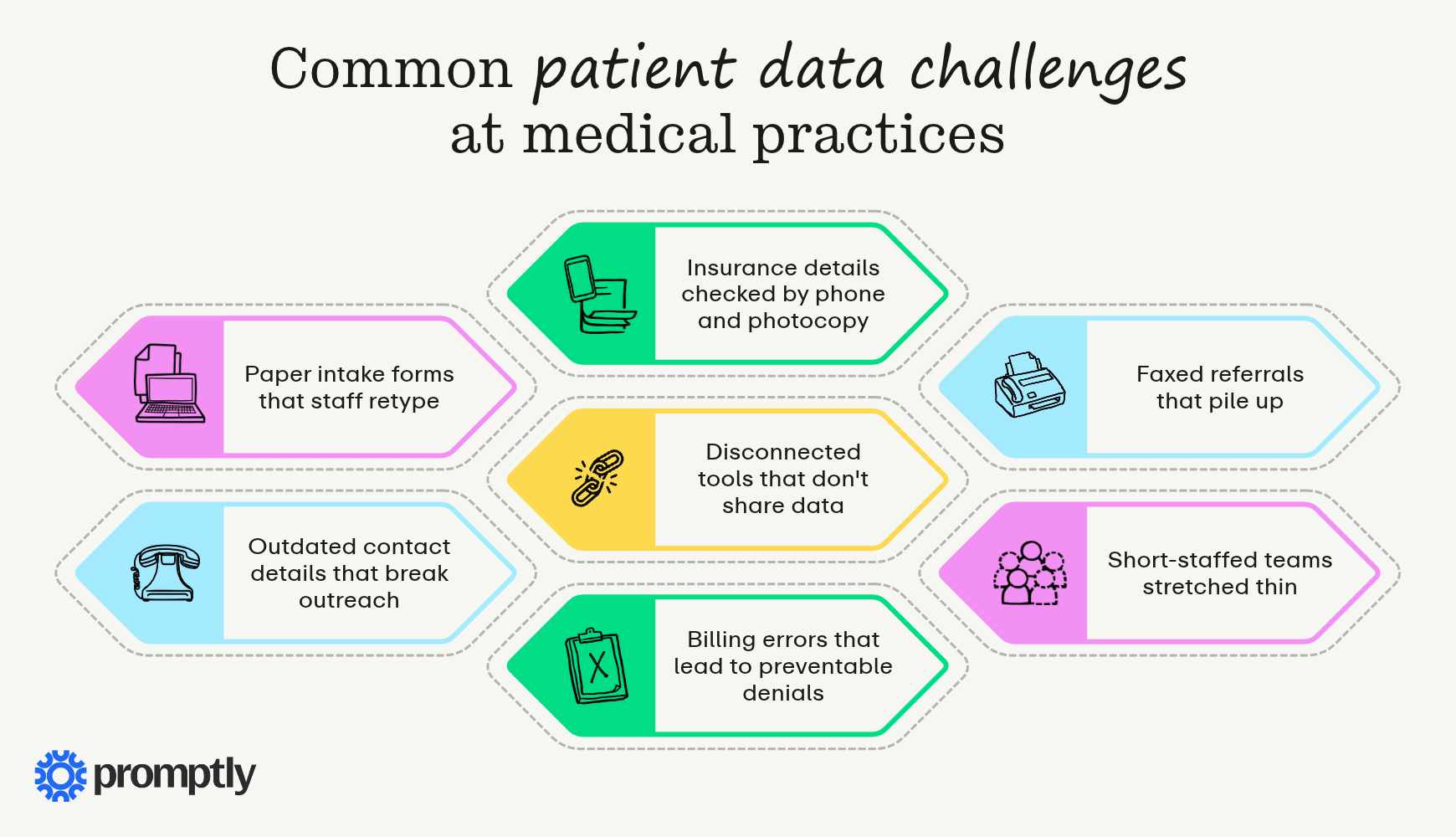
- Paper intake forms that staff retype: Patients often arrive early just to fall behind by finishing forms in the waiting room. Staff then decipher handwriting and type that information into your software, and any illegible or skipped answers result in a follow-up call.
- Insurance details checked by phone and photocopy: Staff photocopy cards, then call payers or log into portals to confirm coverage. When a detail is wrong, someone has to chase it down, often after the visit.
- Faxed referrals that pile up: Referral coordinators sort, read, match, and type in every multi-page fax by hand. The longer the pile sits, the longer a referred patient waits for a call, and some never get one.
- Disconnected tools that don't share data: When intake, scheduling, messaging, and billing each run on separate software, an address change in one tool never reaches the others. Over time, the records drift apart, leaving staff members unsure of which version is correct.
- Outdated contact details that break outreach: A new phone number or old email address means reminders, recalls, and billing statements never reach the patient. That leads to more no-shows and unpaid balances, even when your outreach plan is solid.
- Billing errors that lead to preventable denials: A mistyped member ID or an outdated plan at intake can lead to denied claims. Revenue cycle staff then spend hours tracking down the right details and resubmitting, and every fix costs more than getting it right the first time.
- Short-staffed teams stretched thin: Many practices are running their administrative teams with open seats. About four in five medical groups report open administrative jobs, which means the same manual workload gets split among fewer people. Every hour spent on patient data management is an hour those staff members can't spend helping patients or doing other important tasks.
These challenges impact both your staff members and the patient experience. Scan your recent reviews for mentions of paperwork or long wait times. Those comments indicate that your data management processes may be causing discontent among your patients.
What patient data management software does
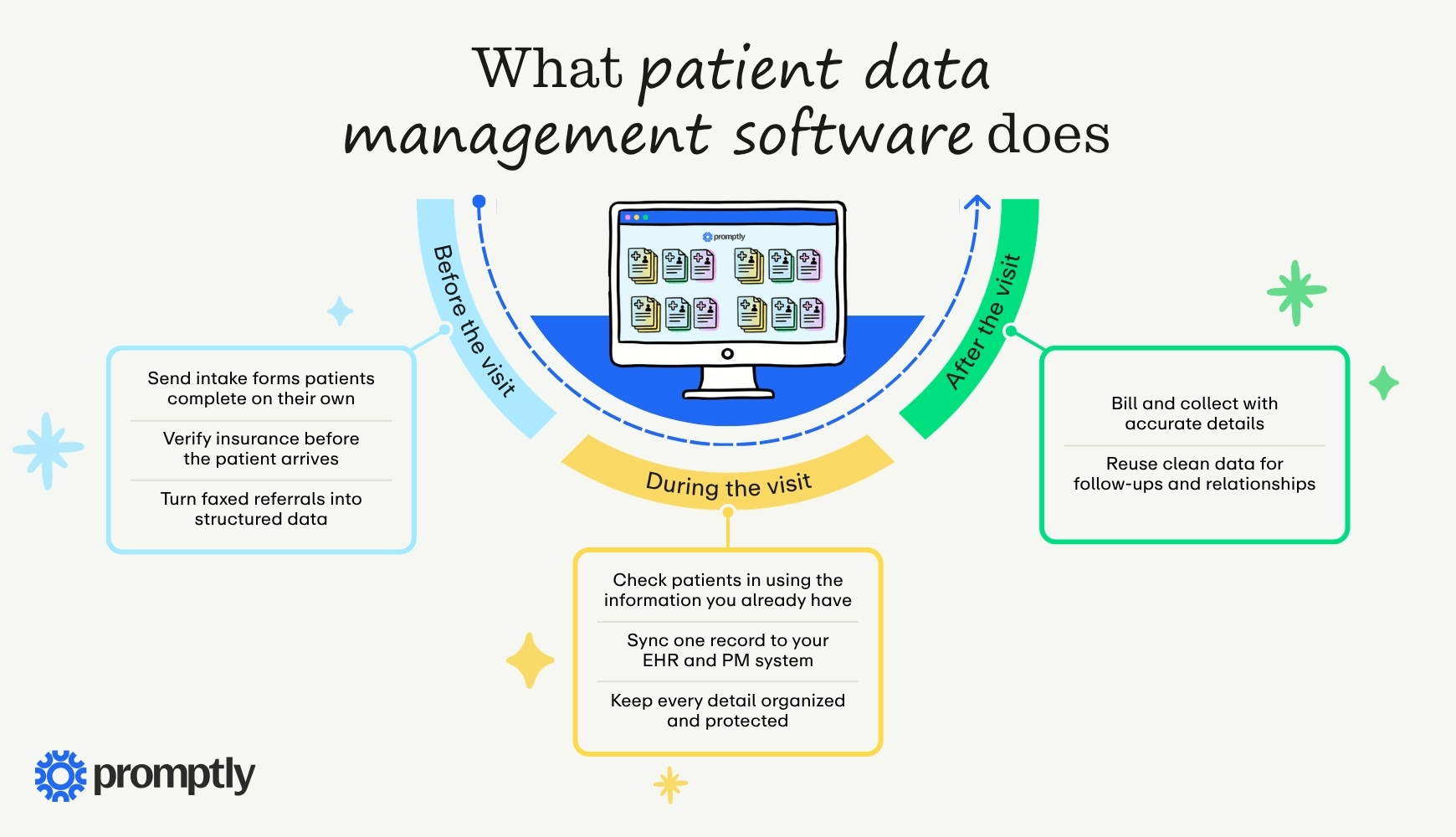
Patient data management software works across the entire patient journey, from the first form a patient fills out to the last follow-up message.
Before the visit
- Send intake forms patients complete on their own: Login-free smart links sent by text or email let patients finish forms in seconds, and their answers flow straight into your system.
- Verify insurance before the patient arrives: Real-time eligibility (RTE) checks automatically confirm coverage, so staff no longer need to call payers.
- Turn faxed referrals into structured data: AI-powered fax tools can split multi-page faxes and pull out patient details for staff to review.
During the visit
- Check patients in using the information you already have: Patients confirm the details they shared before the visit, including their phone number and email. Because they enter their own information, erroneous data gets caught before it reaches a claim.
- Sync one record to your EHR and PM system: Captured data flows automatically into the systems you already use, so nobody enters the same details twice. This syncing runs continuously before, during, and after the visit, so any update a patient or staff member makes reaches every system right away. An all-in-one platform (like Promptly) goes further by consolidating intake, scheduling, messaging, and payments into a single record.
- Keep every detail organized and protected: Staff can pull up a patient's forms, insurance, and referral history in one searchable profile instead of digging through folders or inboxes. Role-based access controls make sure each team member sees only the information their job requires.
After the visit
- Bill and collect with accurate details: Because insurance and patient details are verified before the visit, claims go out with accurate information from the start. Upfront cost estimates and text-to-pay links also let patients see and settle what they owe without waiting on a paper statement.
- Reuse clean data for follow-ups and relationships: Accurate contact and visit details power reminders, recalls, and ongoing outreach after the appointment.
At every stage, your software collects information once, ensures it’s accurate, and makes it available to every person and system that needs it, so staff spend less time on manual entry and fixing errors.
What to look for in patient data management software
The right patient data management software should make your team's day easier without creating more work or risks. Before you book demos, agree as a team on which features matter most for your practice. Then use these criteria to compare your options:
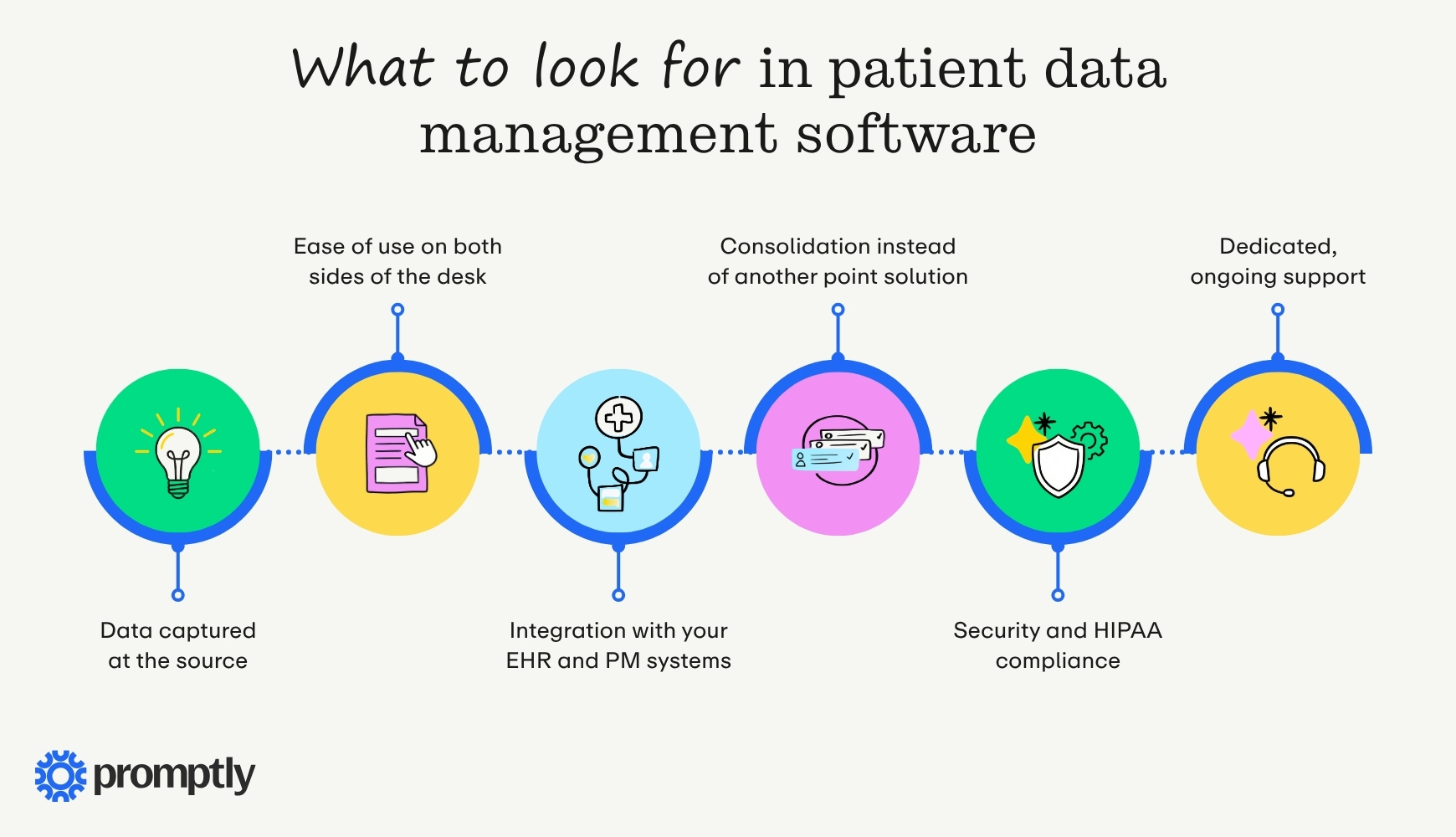
- Data captured at the source: Look for software that collects information directly from patients and referral documents instead of relying on staff to enter it. When patients enter and confirm their own details, there are fewer opportunities for typos.
- Ease of use on both sides of the desk: Patients should be able to complete forms on their preferred devices without an app or account, and staff should be able to find what they need on a single screen. Ask for a demo that covers the workflow for patients and employees.
- Integration with your EHR and PM systems: The software should automatically populate the corresponding fields in your EHR and PM system. During demos, ask which systems the tool connects to, how often records sync, and what happens when the same detail is updated in two places.
- Consolidation instead of another point solution: When intake, messaging, referrals, and payments each run on a separate tool, your data can easily fall out of sync. A platform that handles several of these tasks stores the data in a single record, which makes it easier to keep it accurate.
- Security and HIPAA compliance: Healthcare organizations reported 710 breaches involving 500 or more records to the HHS Office for Civil Rights in 2025, affecting at least 61.5 million people. Ask each vendor about encryption, role-based access controls, audit trails, and whether they will sign a BAA.
- Dedicated, ongoing support: Determine who will help set up workflows, train staff, and answer questions after launch, and how quickly the support team typically responds.
During demos, consider testing the software with real examples from your practice, such as a blurry insurance card photo or a multi-page referral fax. Seeing how the tool handles these cases gives you a clearer picture of how it will perform day-to-day.
How Promptly simplifies patient data management
Promptly is an all-in-one patient experience suite made for specialty practices. It's built on a simple belief that automation should humanize healthcare. Here are the advantages of using Promptly’s patient data management software:
- Work with a partner, not a vendor: Promptly integrates with the EHR and PM systems specialty practices already use. We also build one-on-one, long-term relationships, so you'll always talk to people who know your practice.
- Capture every detail once, from the first form to the last referral: Digital intake, Real-Time Eligibility, and AI Fax work together, so patients enter their information once and your system keeps it accurate from there.
- Skip the portal and keep patients moving: Patients complete forms, check in, and pay from secure, login-free smart links sent by text or email. No app to download, no password to forget.
- Replace a fragmented stack with one dashboard: Our patient engagement suite brings scheduling, intake, referrals, messaging, and payments into a single platform. The average practice saves $88,000 a year by replacing four or more platforms with Promptly.
- Give your staff hours back: The average Promptly practice reclaims 1,728 staff hours a year by automating repetitive workflows. That's time that goes right back to patients.
- Turn raw patient data into structured records and actionable insights: Promptly uses optical character recognition (OCR) and AI to scan IDs, extract discrete data fields, and write them directly into your EHR and PM solutions, eliminating duplicate records and transcription errors. Real-time practice analytics then put that data to work, giving you insights to guide operational growth.
- Keep patient data secure and compliant: Our solutions are backed by SOC 2 Type II certification and end-to-end encryption, so patient information stays protected from the moment it's collected. These safeguards also help your practice meet its HIPAA compliance obligations.
With Promptly, patient information stays accurate and connected from the first referral fax to the final follow-up message. That means your team spends less time correcting records across systems and more time caring for patients.
The value of accurate patient data grows as your practice does. When every system works from the same record, adding a provider, a location, or a new service doesn't have to mean adding the same amount of administrative work. That's why it pays to choose patient data management software that can keep up with where your practice is headed.
To keep learning, explore these resources:
- Digital Patient Intake Guide: Key Insights for Healthcare Practices. Accurate records start with the information patients share before their visit. This guide covers how digital intake improves that first step for both patients and staff.
- Top 9 HIPAA-Compliant Form Builders + Design Best Practices. Any tool that collects patient information needs strong security from the start. This roundup reviews nine HIPAA-compliant form builders and the design choices that help protect submitted data.
- Best Healthcare CRM Systems + How to Choose Your Ideal Tool. Once your patient data is clean, a CRM can put it to work in reminders, recalls, and outreach. Here, you'll find a comparison of top healthcare CRM systems and tips for choosing one that fits your practice.
One record. Every system. Zero retyping.
With Promptly, your practice can capture patient data once, verify it automatically, and keep it in sync across systems.
Related Posts
About the author
Dr. Anish Kapur is a physician and tech entrepreneur advancing healthcare through innovation. He co-founded one of the first cloud-based EMR systems for specialists and now leads Promptly Technology Inc., whose Patient Experience Suite™️ helps specialty practices streamline workflows, boost patient engagement, and accelerate revenue—all in one modern platform.

Share this article: