
Best Healthcare CRM Systems + How to Choose Your Ideal Tool
Between scheduling patients, tracking marketing campaigns, and handling patient data, healthcare teams have a lot on their plates. Managing everything with separate tools only causes more headaches.
Constituent relationship management (CRM) solutions can help clarify these workflows, but generic CRMs like Salesforce and HubSpot consistently fall short in clinical settings. These platforms aren’t built for healthcare-specific tasks and operate independently from your other practice management solutions, forcing front-desk staff to manually transfer data, increasing HIPAA compliance risk, and straining your budget.
A specialized healthcare CRM resolves these bottlenecks by aligning frontline patient acquisition with clinical status tracking and physician liaison management. Unifying digital communications, scheduling, and referral provider outreach into a single platform saves valuable time and funds so you can focus on patient care.
In this guide, we’ll review everything you need to choose your own healthcare CRM, including the types on the market and the top features to look for.
Table of Contents
- Frequently asked questions about healthcare CRM systems
- Main types of healthcare relationship management systems
- How to choose a healthcare CRM system
- Top healthcare CRM system: Promptly

Frequently asked questions about healthcare CRM systems
What is a healthcare CRM system?
A healthcare CRM system is specialized software designed for medical practices to manage patient acquisition, engagement, and retention across care journeys. Unlike generic B2B CRMs, healthcare CRMs track clinical inquiries, automate appointment communications, and coordinate outreach to referring physicians while maintaining strict HIPAA compliance.
What are the benefits of using a healthcare CRM?
A healthcare CRM optimizes administrative operations and elevates the care experience by centralizing patient communication, scheduling, and relationship tracking into a single workflow. Unifying these functions creates seamless touchpoints across the entire care journey while minimizing manual front-office workloads.
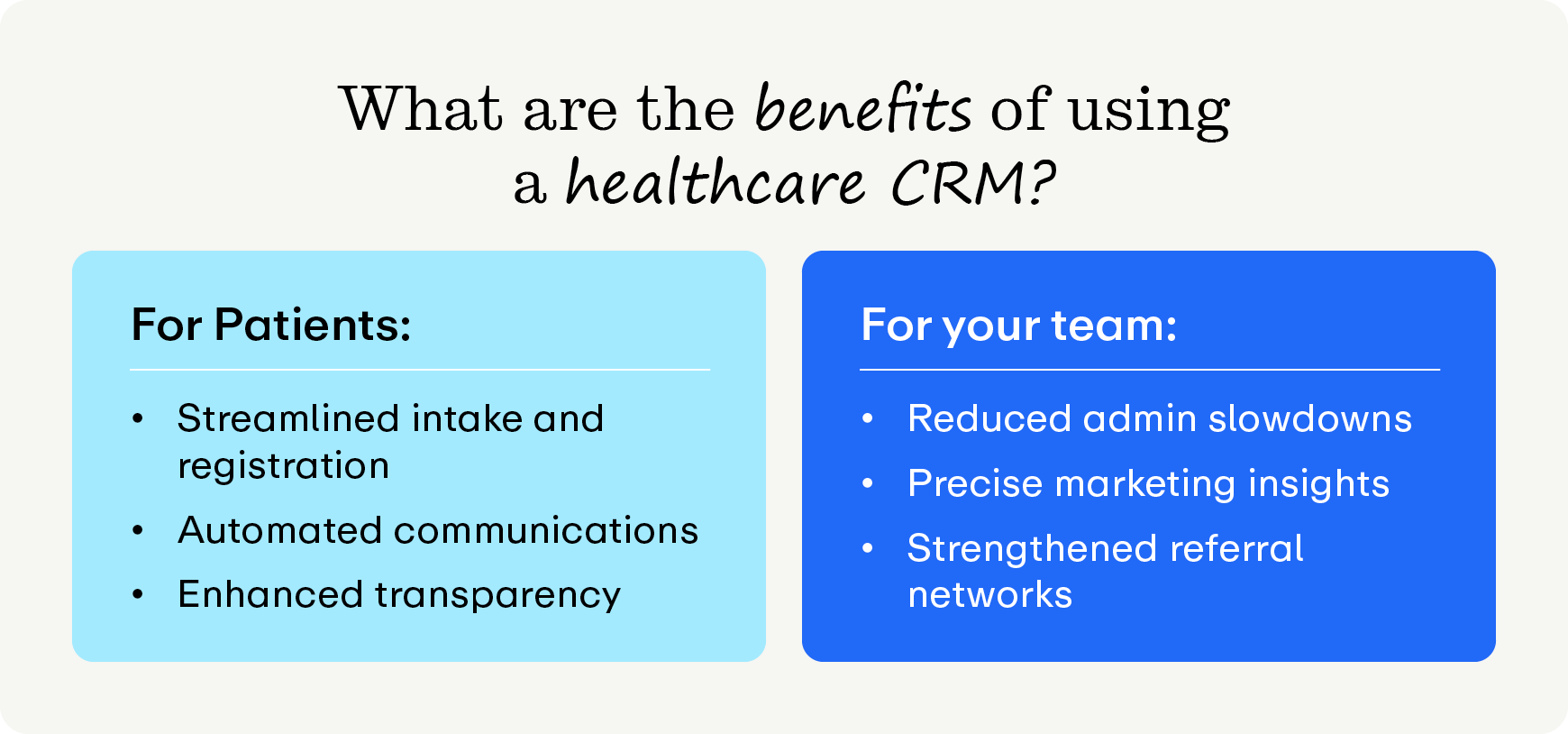
Patient benefits
- Streamlined intake and registration. Digital check-in and pre-appointment electronic forms shorten waiting room delays and allow patients to complete paperwork on their preferred personal device.
- Automated care communications. Timely SMS reminders, post-visit follow-ups, and tailored health education keep patients informed and engaged throughout their treatment plan.
- Enhanced communication transparency. Real-time scheduling availability and instant booking status updates mean patients have greater insight into and control over their care journey.
Team benefits
- Accelerate administrative tasks. Automated appointment status syncing and real-time insurance verification reduce repetitive manual data entry for front-office teams.
- Precise marketing insights. CRMs empower practice administrators to accurately track revenue to specific acquisition campaigns so you can invest in the strategies and channels that actually work.
- Strengthened referral networks. Practices can also use CRMs to manage incoming referrals and communicate directly with those providers, keeping the relationship strong.
What challenges do practices face when choosing and implementing CRMs?
To get the highest ROI out of your CRM, practices need to understand the potential risks ahead of time. Be aware of:
- Selecting isolated software silos. Your CRM is only helpful if it actually integrates with your other systems. Ensure your CRM syncs with your existing tech stack.
- Overlooking HIPAA compliance protocols. Unlike generic B2B systems, healthcare practices have unique compliance requirements under HIPAA. Using CRMs without a signed Business Associate Agreement (a binding contract required by HIPAA to protect patient health data when it’s shared with outside vendors) or proper data encryption standards exposes your medical practice to regulatory fines.
- Underestimating team training needs. Successful software implementation is as much about the tools themselves as it is about supporting your staff. Insufficient training can harm software adoption rates and push staff to resort to their legacy workflows.
Fortunately, the top healthcare CRM systems help you fill these gaps proactively and provide a stellar user experience so both your team and your patients get up and running faster. We’ll review the best option later.
How does a healthcare CRM differ from Electronic Health Record (EHR) systems or Patient Relationship Management (PRM) systems?
While all of these systems are important for healthcare management, these systems serve different purposes. Here are the key differences between healthcare CRM, PRM, and EHR systems:
Healthcare CRM Systems
- Captures prospective patient inquiries, landing page leads, and marketing campaign attribution.
- Coordinates physician liaison outreach and professional doctor referral networks.
- Calculates closed-loop patient acquisition costs and marketing ROI.
Patient Relationship Management (PRM) Systems
- Automates post-intake patient communications, care journey touchpoints, and satisfaction surveys.
- Manages preventive recall campaigns, routine appointment reminders, and patient re-engagement.
- Delivers specialty-specific educational content and digital communication preferences.
Electronic Health Record (EHR) Systems
- Stores clinical histories, treatment plans, progress notes, and diagnostic records.
- Facilitates physician charting, clinical decision support, and e-prescribing (eRx).
- Processes medical billing, insurance claim submissions, and claim coding workflows.
- Manages lab results, imaging orders, and direct provider care documentation.
Functional Overlaps Across Systems
- CRM and PRM: Both platforms automate outreach, log communication histories, and nurture long-term patient engagement.
- PRM and EHR: Both systems reference active patient contact details, sync appointment schedules, and support care continuity.
- CRM, PRM, and EHR: All three platforms process essential patient demographics and enforce strict HIPAA encryption and privacy standards.
In summary, an EHR system manages internal clinical tasks, a PRM strengthens ongoing engagement with active patients, and a healthcare CRM drives practice expansion through prospective lead capture and referring provider network management.
Main types of healthcare relationship management systems
Healthcare CRM systems all operate differently. To select the ideal software platform, you must first understand how different platforms handle patient record data and operational workflows. Each system type serves distinct administrative goals, ranging from clinical status synchronizations to B2B doctor referral tracking.
While considering this list, remember that the top healthcare CRMs can handle most or all of these tasks from a single platform! We’ll review the top all-in-one CRM later.
How to choose a healthcare CRM system
The right healthcare CRM system depends on your needs. Keep these best practices in mind to keep your selection and implementation processes on track:
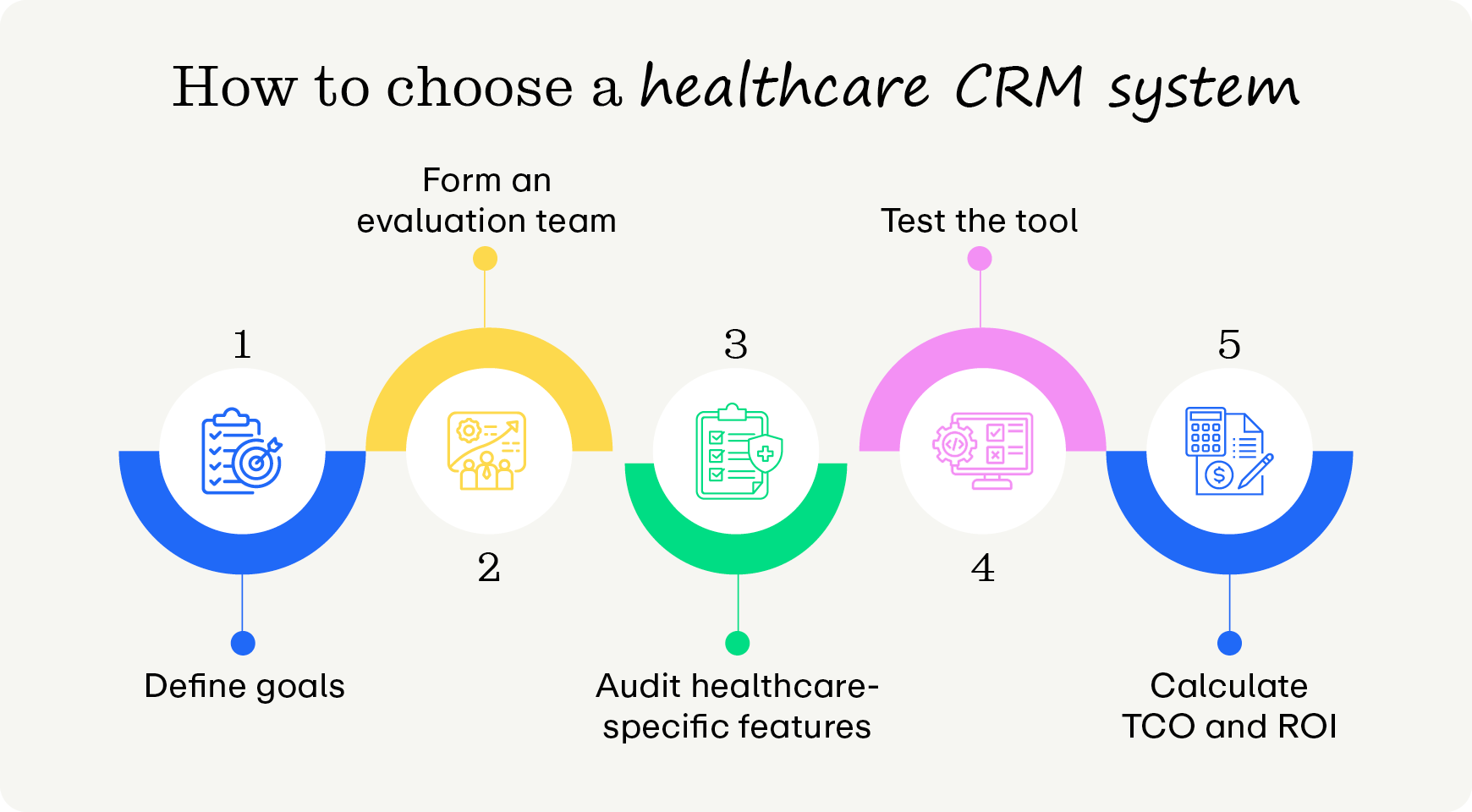
Define strategic goals
Start by identifying your primary objectives for choosing the software, such as reducing appointment no-shows, streamlining patient onboarding, driving referral management, or running targeted health awareness campaigns.
Once you’ve determined your most pressing objectives, you can decide what kind of CRM you need. Let’s say your primary goal is to acquire more new patients; you’ll likely need a marketing or sales CRM to tailor messaging and save prospective patient information.
Form an evaluation team
Your CRM impacts many aspects of your practice, so all relevant departments should be in the loop. Bring together stakeholders from clinical operations, administration, marketing, IT, billing, and compliance teams, so you have a well-rounded perspective while analyzing different systems.
Audit healthcare-specific features and compliance
Even CRMs built for healthcare needs require careful consideration from your team. Ensure the system can:
- Seamlessly integrate with your existing software
- Fully comply with healthcare privacy regulations (e.g., HIPAA, HITECH, SOC 2) and get a Business Associate Agreement signed
- Adhere to robust security protocols, including end-to-end data encryption (at rest and in transit), role-based access controls (RBAC), and detailed audit logging
- Log and update patient data across systems in real time
- Support automated appointment scheduling, pre-visit instructions, and post-discharge follow-ups
- Connect your practice with referring physicians without needing a separate portal
Test the tool
Once you’ve researched the available options and narrowed down your list of top contenders, try them out to see which best match your needs. Start by requesting live demos featuring actual healthcare workflows rather than generic sales presentations. As you demo tools, involve non-technical staff in hands-on trial periods to test interface intuitiveness and navigation speed.
After you’ve tested the tool, review the vendor’s Service Level Agreements regarding the extent of their support, including ad-hoc resources, dedicated account management, and onboarding training programs.
Calculate Total Cost of Ownership (TCO) and estimate ROI
The sticker price rarely reflects the full cost of your tool. Look beyond baseline monthly licensing fees to account for costs associated with:
- Implementation
- Custom API integrations
- Data migration
- Ongoing maintenance
- External consultants
- Team training
You won’t always have a hard number in mind when projecting TCO. Use conservative estimates so you’re prepared to take on a higher cost than expected if the need arises. Our calculator can help.
Top healthcare CRM system: Promptly
Searching for the best CRM for specialty practices? Promptly Patient Conversion delivers the premier healthcare CRM suite designed specifically for medical practices, featuring physician liaison management and automated patient engagement workflows. These features make Promptly Patient Conversion stand out as the best CRM for healthcare practices:
- Omnichannel lead capture and centralization. Promptly Patient Conversion automatically funnels prospective patient inquiries from website forms, live chat, phone calls, and referrals into a centralized dashboard. By gathering all contacts in one place, you’ll prevent valuable clinical leads from falling through the cracks.
- Targeted SMS and email drip campaigns. Automate your patient outreach with pre-written, customized nurturing sequences delivered at scale. These targeted messages educate prospects on procedures, build brand trust, and drive appointments.
- Online self-scheduling for patients. Transition prospective patients from initial inquiry to booked consultation by scheduling their own appointments online—no portal login required.
- Closed-loop status tracking. Our platform automatically monitors the patient's entire clinical journey through your integrated PM system. The CRM updates lead pipeline statuses the moment a patient reaches out or schedules a visit.
- Automated staff task management. The system auto-generates and assigns follow-up task cards to your team whenever new leads arrive. This proactive workflow guarantees a timely, personalized phone call to support digital outreach with a warm human connection.
- Marketing conversion and ROI analytics. Promptly Patient Conversion tracks and reports on marketing metrics, offering administrators clarity on acquisition costs and lead sources. These insights reveal which organic search or paid campaigns generate the highest revenue.
- Smart sentiment funneling and review generation. Automatic post-visit texts and emails ask patients to rate their clinical experience. The system routes satisfied patients to public platforms like Google to leave five-star reviews while privately channeling constructive reviews back to your team for personalized service recovery.
- Geographic referral network mapping. Lay out referring providers on a live map to spot local co-management gaps. Then, you can record detailed clinic visit logs, schedule marketing events, and analyze which relationships drive incoming referral volume. Once you win these referrals, Promptly’s AI Fax tool helps you seamlessly categorize and collect information from their patients.
Additional resources
Consolidating medical practice software into an integrated CRM empowers practices like yours to eliminate administrative burnout, improve patient engagement, and track campaign conversion rates. All you need is a system that’s built for healthcare, and you’ll be able to grow your practice into a community staple.
Explore these related guides to learn more about optimizing your practice's clinical workflows:
- The Digital Front Door: What It Is & Why It Matters. A digital front door unifies scheduling, intake, and payments into a seamless platform. Learn how to modernize the patient experience and reduce staff burnout.
- An Essential Guide to AI Healthcare Technology for Practices. Using AI healthcare technology can supercharge your practice's operations. Learn everything you need to know in this guide for healthcare professionals.
- The Definitive Patient Engagement Software Buyer's Guide. There are many patient engagement software solutions on the market. Use this guide to find your ideal tool and streamline your practice’s operations.
Stop letting hot leads go lukewarm.
Get a demo of Promptly to build better relationships with prospects, patients, and physicians.
Related Posts
About the author
Dr. Anish Kapur is a physician and tech entrepreneur advancing healthcare through innovation. He co-founded one of the first cloud-based EMR systems for specialists and now leads Promptly Technology Inc., whose Patient Experience Suite™️ helps specialty practices streamline workflows, boost patient engagement, and accelerate revenue—all in one modern platform.

Share this article:

We automate the tedious stuff so people can do the people stuff