
Top 9 HIPAA-Compliant Form Builders + Design Best Practices
Every healthcare practice faces a frustrating paradox: physicians spend too much valuable time completing forms instead of providing care, yet attempts to expedite the process with generic form builders can create multi-million-dollar liabilities under the Health Insurance Portability and Accountability Act (HIPAA). Healthcare providers must comply with HIPAA to protect sensitive patient information from leaks.
Hacking and IT incidents account for 81% of all healthcare data breaches—exposing the protected health information (PHI) of millions in a single year. Because 35% of these breaches stem from vulnerabilities in third-party vendors, choosing an unverified intake form builder is a big gamble.
HIPAA-compliant forms are a win-win for your admin team and your patients—doctors can reduce time spent manually collecting information while securing PHI and, by extension, your patient relationships. In this guide, we’ll review how to choose the best HIPAA-compliant form builder and the top options on the market.
- FAQs about HIPAA-compliant forms
- HIPAA-compliant digital intake tool use tips
- Top HIPAA-compliant form creators

FAQs about HIPAA-compliant forms
What is HIPAA?
HIPAA is a set of American legislation that governs how doctors use and share PHI. Under HIPAA, healthcare providers must:
- Secure PHI, whether written, spoken, or electronic, from unauthorized disclosure.
- Obtain patient consent before using or sharing their medical records for purposes outside of standard treatment, payment, or healthcare operations.
- Provide access to a copy of medical records upon request.
- Implement strict security safeguards, such as encrypting data, securing login credentials, and locking physical filing cabinets, to safeguard PHI.
- Monitor for data breaches and inform affected patients, the Department of Health and Human Services (HHS), and potentially the media if unsecured health data is compromised.
- Train employees on privacy policies and data handling procedures.
- Secure Business Associate Agreements (BAAs) that ensure any third-party contractors or vendors who handle PHI sign a legal contract committing to protect that data to the same standards.
Preventing HIPAA violations is critical for maintaining patient trust, your revenue, and your practice’s longevity.
Should healthcare providers use physical or digital forms?
HIPAA applies to both digital and physical patient forms. Using digital patient forms provides several notable advantages, both for reducing liability and improving workflows. Digital patient forms:
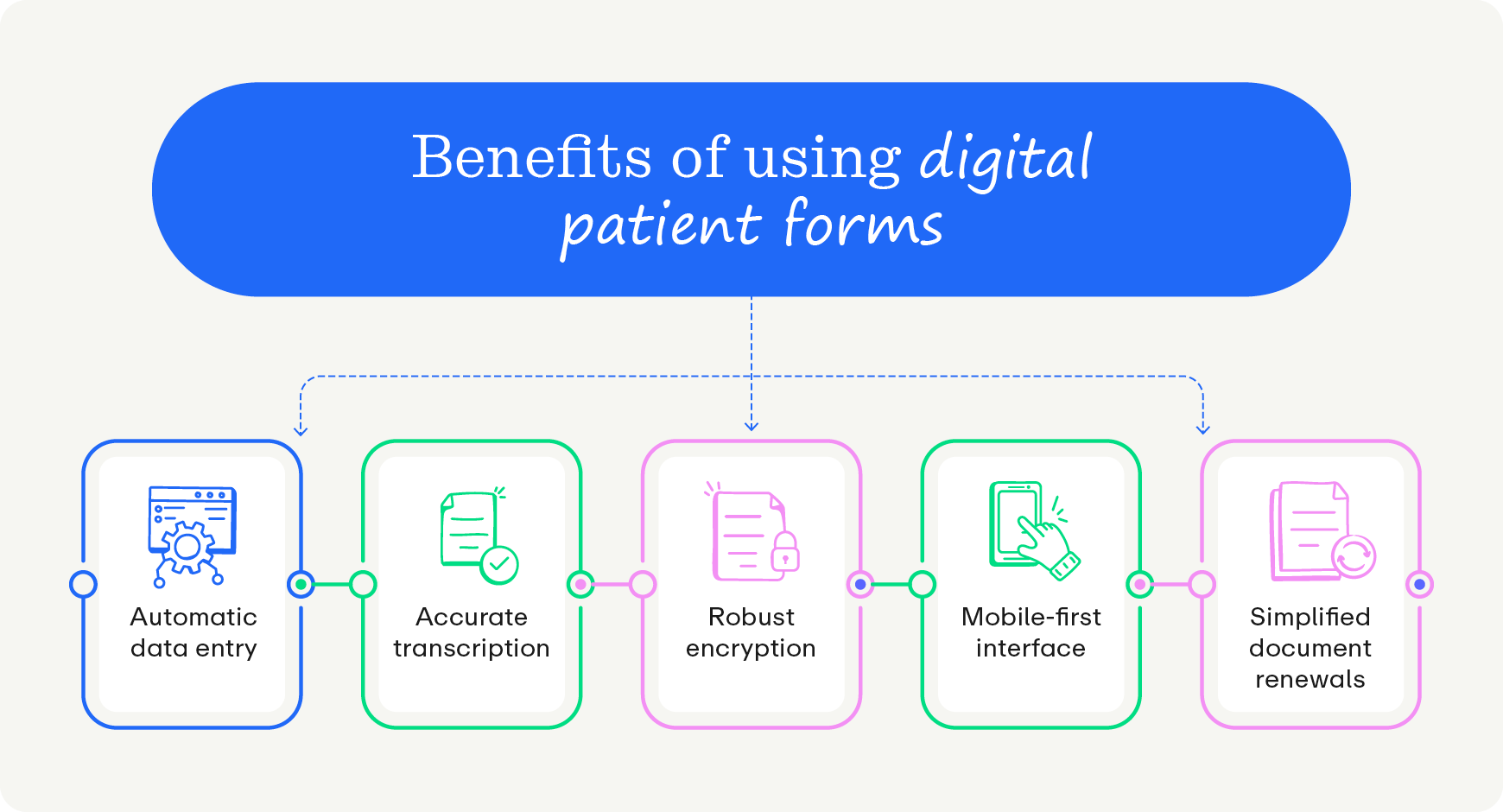
- Eliminate manual data entry and scanning, significantly reducing administrative burden and staff workload.
- Minimize transcription errors by automatically populating clinical data directly into forms.
- Offer robust encryption (best practice is at the AES 256 level), granular access controls, and detailed audit trails that are more secure and easier to monitor than physical paper files.
- Provide a mobile-first, accessible interface that enables patients to complete forms from anywhere, resulting in higher completion rates.
- Simplify document renewals and patient consents through automated reminders and digital verification.
Investing in your practice’s digital front door provides you with the tools you need to protect PHI and patient experience as a whole. However, it’s important you choose the right digital form builders—more on that later.
Do patients need to log into a portal to sign digital HIPAA-compliant forms?
With intelligent forms, patients do not need to log into a portal to sign secure documents. Modern form builders streamline the process by:
- Eliminating portal login and password barriers. Requiring patients to remember usernames, reset expired passwords, or download clunky mobile applications reduces intake completion rates. Operating without a portal, on the other hand, is more convenient and encourages immediate completion.
- Using encrypted smart links. To avoid friction caused by using portals, send secure links via text or email to route patients directly to their personalized, encrypted intake session without compromising strict privacy protocols. That way, security remains intact while providing a better patient experience.
- Providing mobile-first user experiences. Ensuring portal-free access allows patients to complete digital signatures and submit medical histories directly from their phones, so your office receives completed records well before the scheduled appointment. Administrative processing happens instantly, and mobile accessibility satisfies modern consumer expectations.
Beyond logging in, HIPAA-compliant digital forms also streamline another key part of intake: verifying insurance. Patients simply photograph the front and back of their insurance cards in the secure form window, eliminating manual card scanning at the front desk. This feature accelerates check-in, and patients can rest assured that their information is safe in the HIPAA-compliant tool.
How often do HIPAA-compliant medical forms need to be renewed?
Medical form renewal timelines depend on practice policies and specific regulatory requirements, and missing these deadlines can jeopardize your compliance. However, automated intake software can simplify this cycle. These systems can:
- Track expirations on consent and compliance records. Documents like HIPAA privacy notices, financial responsibilities, and clinical histories naturally become outdated and require regular patient re-verification. Practice management software can flag when you’re due to complete these forms ahead of time to avoid any gaps and mitigate risks.
- Trigger automated patient communication workflows. The system autonomously texts or emails a secure smart link to the patient, updating clinical records without manual staff outreach. That way, the database receives the updated digital signatures directly, without involving your front desk.
- Archive completed documentation securely. Automated systems store signed forms directly in the patient's digital record, creating a verifiable audit trail for compliance officers and simplifying retrieval during routine audits.
To configure your systems correctly, research your specific deadlines and requirements. Revisit and update your workflow quarterly to ensure your software accounts for the latest legal requirements.
HIPAA-compliant digital intake tool use tips
Choosing the right digital intake platform requires finding a balance between data security and a smooth patient experience. The ideal platform will protect sensitive medical data without adding frustrating barriers that prevent patients from completing their paperwork.
To find a form builder that serves both your administrative staff and your patients effectively, keep the following best practices in mind:
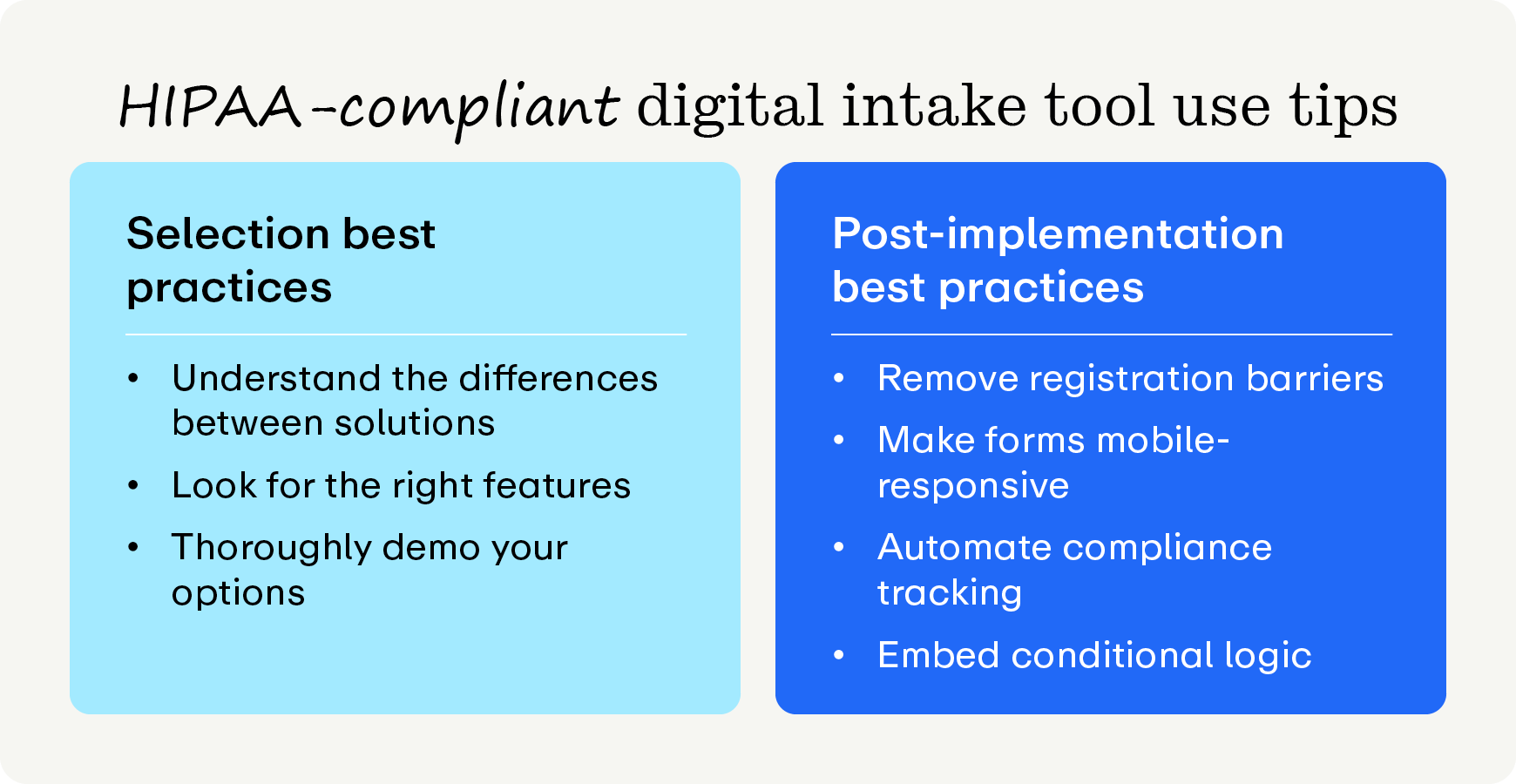
Selection best practices
Understand the difference between form builders and intake solutions
On its own, a form builder lets you design fields and collect digital signatures, while a comprehensive digital intake platform handles the entire workflow, including patient communication, insurance verification, and direct scheduling. Ideally, your digital intake tool will include a form builder or integrate with a larger intake solution, rather than be a standalone tool.
Look for the right features
An effective form builder must include features such as:
- Portal-free access via secure smart links
- Automated form expiration and renewal tracking
- Pre-populated demographic and insurance auto-fill fields
- Enterprise-grade security architecture (with end-to-end encryption, SOC 2 certification, and role-based access control)
- Seamless integration with check-in hardware kiosks
Promptly is the leading solution with all of these features and more. We’ll dive further into why Promptly stands out later.
Thoroughly demo your options
It’s important to get first-hand experience with tools before investing in them. Schedule demos with each digital intake platform or forms tool to gauge:
- Workflow integration: How easily do the forms connect with your existing tech stack?
- User experience: How intuitive is the interface for patients?
- Customization and logic: How flexible is the tool in creating conditional questions and specialty-specific templates?
- Support and training: What kind of onboarding, ongoing support, and implementation assistance does the vendor provide?
- Scalability: How well does the tool scale up to support your future growth?
Post-implementation best practices
Remove traditional portal registration barriers
Instead of requiring patients to download standalone applications or create account passwords, use secure smart links that connect patients directly to their documents via text or email. Disjointed portals delay medical care, while seamless links encourage follow-through.
Structure forms for mobile-first responsiveness
It’s important your forms reach your patients where they are. Design your form fields to adjust to desktop, tablet, and smartphone layouts. Mobile layouts require clean spacing, so text inputs, radio buttons, and digital signature blocks should be easy to navigate and read. Your form tool should enable you to preview how the form will look, so ensure it looks professional and useful at all breakpoints.
Automate compliance tracking and renewals
Your digital intake tool should either integrate with your patient management system or notify patients and staff when important forms are expiring. Implement backend automation to monitor patient authorization expiration dates and automatically dispatch update requests to keep clinical data accurate. This automation drives practice efficiency by cross-referencing historical submission dates.
Embed dynamic conditional form logic
Set up questions that adapt based on previous patient responses, streamlining clinical intake so patients see only fields relevant to their unique medical conditions. Relevant paths save time by hiding unnecessary clinical questions.
Investing the time to vet platforms based on these operational capabilities will transform your clinic's administrative workflow. Ultimately, the right form builder protects your practice from costly compliance violations while creating a welcoming, modern intake experience for your patients.
Top HIPAA-compliant form creators
Selecting a medical form creator involves comparing standalone data-entry tools with integrated engagement suites. While generic software offers basic template builders, advanced healthcare systems unify communication, scheduling, and billing to remove data silos across high-growth medical practices.
1. Top HIPAA-compliant form creator: Promptly
Overview
Promptly is an all-in-one, consolidated patient engagement suite engineered specifically to eliminate vendor fatigue and manual data entry silos for high-growth medical practices.
Why Promptly Stands Out:
.png)
- Secure architecture. Promptly has enterprise-grade protections, including SOC 2 Type II certification, full HIPAA compliance, and end-to-end data encryption, so your patients can fill out forms with peace of mind.
- Standout user experience. Promptly prioritizes the portal-free experience by using secure, login-free smart links sent directly to patients via automated text or email.
- Convenient administrative workflows. From insurance auto-fill, real-time data validation, and seamless demographic synchronization, Promptly handles all of the important features for patient forms. We offer automated form expiration and renewals natively for a seamless, professional in-office intake experience.
- Comprehensive feature set. As an all-in-one patient experience suite, Promptly consolidates 4 to 6 disconnected point solutions into a single platform, saving the average practice $88,000 annually and driving a 155% increase in pre-visit form completion. Our other leading solutions are:
- AI Fax
- Referral Management
- Reputation Management
- Patient Conversion (CRM)

2. Cognito Forms
Overview
Cognito Forms is a cost-effective, highly customizable form builder that offers BAA availability on its enterprise tiers.
Key Features
- Scored health assessments that automatically calculate clinical scores natively within your digital patient forms.
- Advanced repeating sections that let patients easily document extensive lists of medications or allergies.
- Strict security safeguards that enforce idle timeouts and secondary data encryption at rest.
3. DocuSign
Overview
DocuSign is an industry-standard platform for legally binding electronic signatures and document routing.
Key Features
- Tamper-evident digital seals that protect completed medical documents from unauthorized post-sign alterations.
- Multi-channel recipient authentication that uses SMS or phone codes to securely verify patient identities.
- Secure envelope management that allows administrators to set strict data retention and destruction rules.
4. Formstack
Overview
Formstack is a secure data collection and workflow automation platform that performs well for building internal operational structures.
Key Features
- Intellistack EHR prefill that connects with practice management software to autofill existing patient information.
- Granular user-level permissions that protect sensitive medical records by restricting individual staff access.
- Single sign-on (SSO)-powered data management that secures backend logins while accelerating clinical form completion speeds.
5. IntakeQ
Overview
IntakeQ focuses specifically on electronic intake forms and basic practice management features for healthcare professionals.
Key Features
- Secure messaging portals that provide encrypted channels to safely trade texts and clinical notes.
- Questionnaire analytics engines that safely aggregate patient survey results and spot overall trends.
- Embedded booking tools that instantly dispatch custom digital intake packets upon appointment scheduling.
6. Jotform Health
Overview
Jotform Health is an online form builder that provides a wide array of healthcare form templates.
Key Features
- Contactless kiosk mode that generates secure QR codes for in-office digital patient registration.
- 40+ trusted payment gateways that collect copays through forms without extra transaction fees.
- Annotate picture widgets that let patients physically draw on diagrams to pinpoint pain locations.
7. PandaDoc
Overview
PandaDoc is a platform for document creation, tracking, and e-signature management.
Key Features
- Remote online notarization that allows patients to legally notarize medical records within minutes.
- Isolated workspace segmentation that splits corporate departments to control internal access to PHI.
- Bundled document transactions that group multiple health files into one easily traceable electronic packet.
8. SimplePractice
Overview
SimplePractice is an electronic health record and practice management software popular among behavioral health practitioners.
Key Features
- Gated client portals that secure electronic intake documentation behind an encrypted login framework.
- Seamless chart syncing that automatically routes submitted patient data directly into medical charts.
- Pre-built behavioral libraries that offer specialized template fields customized for mental health counselors.
9. Typeform
Overview
Typeform is an online form builder known for its engaging, single-question user interface.
Key Features
- AI-driven conversation blocks that analyze patient answers to generate immediate, automated follow-up questions.
- Dynamic Calendly routing that automatically maps patients to open calendar slots based on answers.
- Collaborative threaded workspaces that let clinical teams review copy and tag colleagues inside forms.
Wrapping up
To modernize patient intake, your practice must move away from fragmented point solutions and restrictive patient portals. Transitioning to integrated, portal-free digital forms eliminates administrative busywork, protects patient data securely, and allows medical practices to focus on human-centered care.
Overcoming manual data workflows allows high-growth specialty medical practices to reclaim lost administrative hours and eliminate costly software bloat. Replacing legacy patient portals with seamless, mobile-first smart links satisfies compliance mandates while humanizing the digital front door. By selecting an all-in-one engagement partner that values integration and user experience, healthcare teams can build a sustainable, efficient practice ready for long-term growth. To secure your clinical workflows and maximize front-office output, transition to a unified communication framework that completely bypasses portal authentication blocks.
Additional Resources:
- Patient Satisfaction Surveys: Tips and 40+ Questions to Ask. Patient satisfaction surveys are essential for aligning your practice with patient expectations. Discover how to optimize your patient surveys in this guide.
- An Ultimate Guide to Automation in Healthcare: 15 Use Cases. Healthcare automation is the only defense against rising costs and staffing shortages. Discover proven workflows and best practices to automate your practice.
- Master Insurance Eligibility Verification with These Tips. Insurance eligibility verification is one of the largest bottlenecks for medical practices. Learn how to streamline eligibility verification in this guide.
Ready to future-proof your practice?
Lock down your practice's time and revenue with Promptly's comprehensive patient engagement suite.
Related Posts
About the author
Dr. Anish Kapur is a physician and tech entrepreneur advancing healthcare through innovation. He co-founded one of the first cloud-based EMR systems for specialists and now leads Promptly Technology Inc., whose Patient Experience Suite™️ helps specialty practices streamline workflows, boost patient engagement, and accelerate revenue—all in one modern platform.

Share this article:

We automate the tedious stuff so people can do the people stuff