Patient Intake Software: How It Works and What to Look For
How much of your front desk's day goes to entering information patients have already given you once? For many practices, the honest answer is more than anyone would like.
Patient intake software is designed to take that work off your team’s plate. The right tool collects patient information before the visit, verifies it, and delivers it to the systems your staff already use. That way, your team can spend check-in greeting patients instead of processing forms.
In this guide, we'll discuss what you need to know to understand patient intake software and choose the right tool for your practice by covering these topics:
- What is patient intake software?
- How patient intake software works
- Core patient intake software features to look for
- Pros and cons of patient intake software
- Questions to ask before choosing a patient intake software vendor
- How to roll out patient intake software and measure results
- Promptly’s approach to patient intake software
- Patient intake software FAQs

What is patient intake software?
Patient intake software is a digital tool that gathers the information a medical practice needs from patients before a visit and delivers it to the practice management (PM) or electronic health record (EHR) system as usable data. It replaces paper forms and manual data re-entry with a process patients complete themselves. Plus, information from past appointments carries over, so they won’t have to fill out duplicate fields.
Traditional intake processes had patients fill out forms on a clipboard, which staff later typed into the system. Intake software moves those responses to the patient’s device and automatically formats them into a chart for your staff. This streamlines the process for both patients and practice staff.
How patient intake software works
Instead of squeezing intake into the minutes before an appointment, patient intake software spreads that work across the days between booking and arrival. That way, problems surface while there's still time to fix them.
Here's the process:
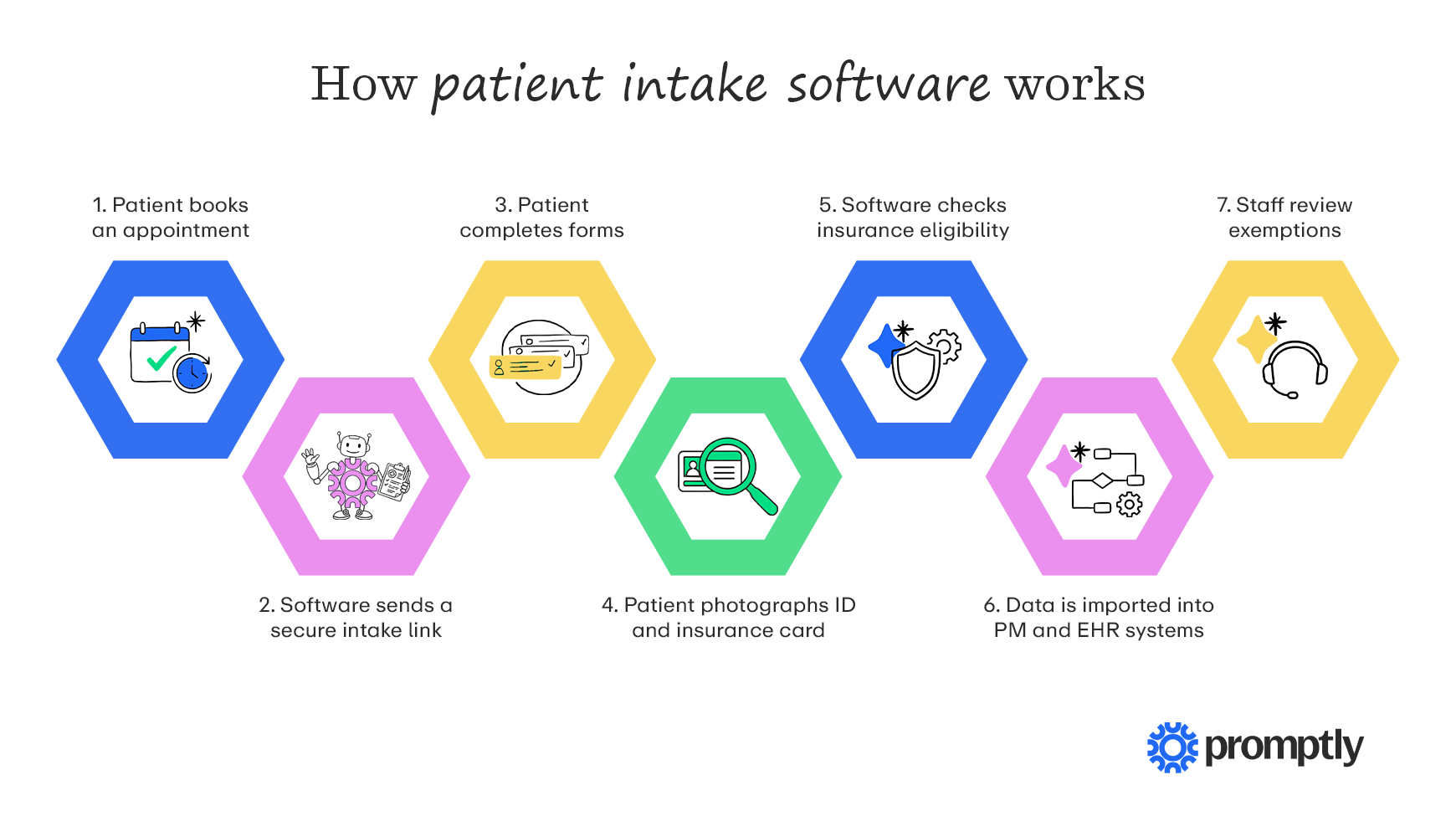
- The patient books an appointment. Scheduling by phone, online, or through a referral automatically triggers intake.
- The software sends a secure intake link. The patient gets a text or email with a link to their forms.
- The patient completes forms on their preferred device. They fill in demographics, medical history, and consent forms from home.
- The patient photographs their ID and insurance card. The system pulls the details into their record, usually using optical character recognition (OCR).
- The software checks insurance eligibility. The solution confirms coverage with the payer before the visit.
- The data is imported into your PM or EHR system. Each answer goes into the matching field in the patient's chart, where patient data management tools keep it in sync.
- Staff review exceptions. Your front desk follows up on what the software flagged before patients arrive at the facility.
From the patient’s side, all of this looks like a single text message and a few minutes on their phone. Behind that simple experience, the software takes on work your front desk used to handle by hand.
Core patient intake software features to look for
Here are the patient intake management software features worth looking for, and what each one does for your practice:
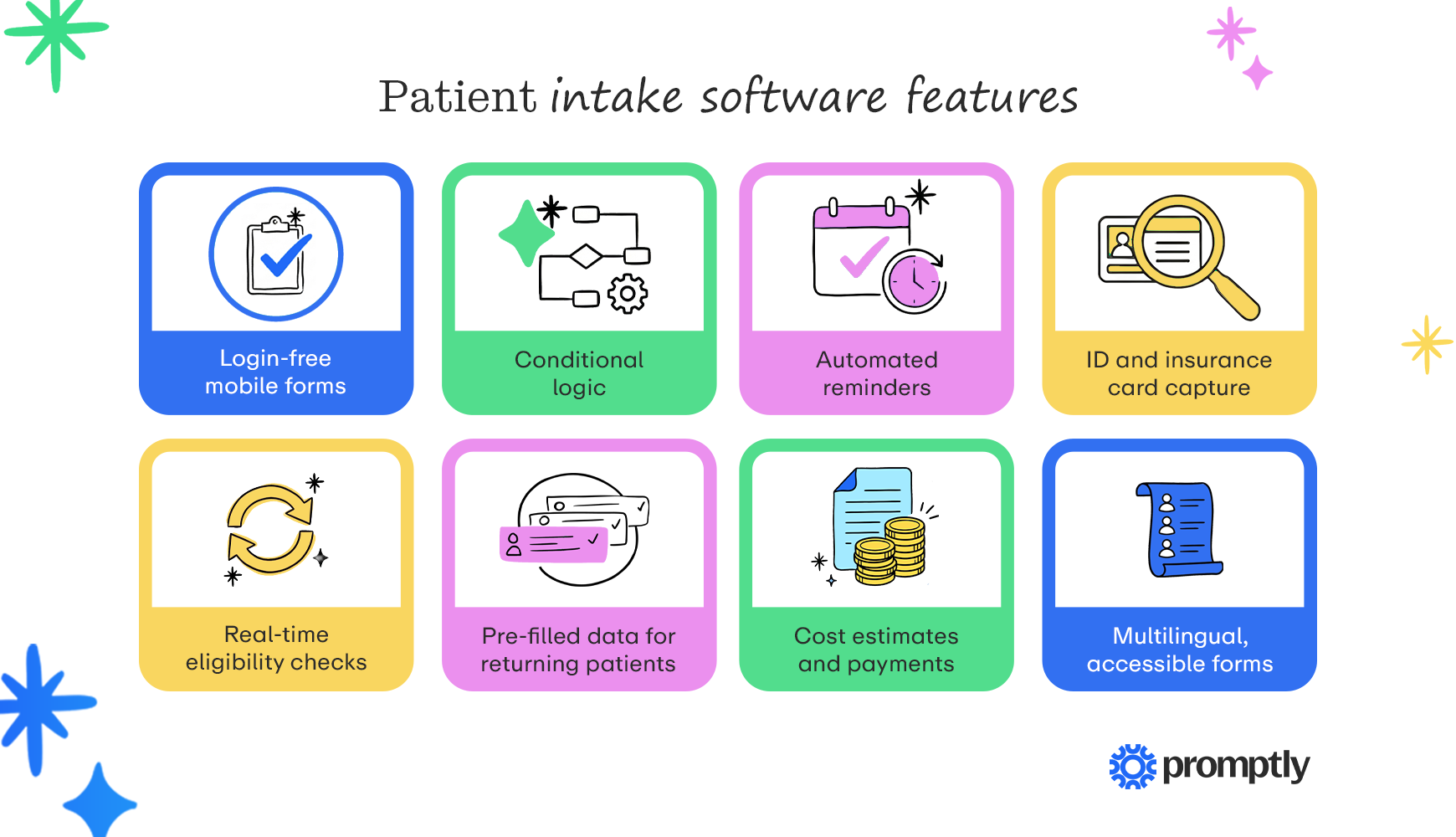
- Login-free mobile forms: Provide a convenient patient experience by using software that opens patient intake forms via a text or email link, with no password or app required.
- Conditional logic: Questions appear only when they apply to the patient, based on the visit type or earlier answers (e.g., questions about specialty procedures won’t appear for a patient visiting for a general checkup). That keeps forms short without losing detail.
- Automated reminders: The system sends follow-up texts or emails to patients who haven't finished their forms. That way, more patients arrive with intake complete, and fewer need help at the front desk.
- ID and insurance card capture: Patients photograph both sides of each card, and the software populates the details in the appropriate fields. Fewer typos at capture means fewer corrections later.
- Real-time eligibility checks: In a 2026 survey of 1,000 patients, 28% reported care delays caused by insurance verification issues. Robust patient intake software should check coverage with payers before the patient’s visit and flag issues for staff to address proactively.
- Pre-filled data for returning patients: Returning patients review, confirm, and update what's on file instead of retyping all their details. That lets them save time and minimizes the chance of new errors.
- Cost estimates and payments: Patients see upfront what they will likely owe. Then they can pay copays and balances through the same link as their forms, or save a payment method for later.
- Multilingual, accessible forms: Forms in the patient's preferred language, with large text, high contrast, and screen-reader support, help every patient finish accurately.
Even though patient intake software allows most patients to complete forms on their phones, robust solutions also account for those who don’t. Some patients prefer to handle intake upon arrival, and others simply won’t get to their forms in advance. A kiosk or tablet option lets them complete intake in the office, and their information flows to the chart the same way mobile intake does, without requiring additional staff work.

Pros and cons of patient intake software
Like any new tool, patient intake software offers clear advantages and a few trade-offs to plan for before you buy.
Benefits of patient intake software
- Less time spent on data entry: When patient answers flow straight into your PM or EHR system, your front desk no longer has to retype forms, which frees up time for practices that are already short on staff.
- Fewer claim denials: Registration errors are a leading cause of claim denials, with a 2025 survey of medical professionals finding that 32% of providers cite incomplete or inaccurate patient registration data as a top reason for denials. Because patients enter their own details and coverage is checked days before the visit, your staff has time to correct mistakes and catch plan changes before a claim goes out.
- Payments collected earlier: When cost estimates and copays are included in intake, patients know what they owe before they arrive and can pay in advance or at check-in. That usually means more is collected at the time of service and fewer statements need to go out afterward.
- A better experience for patients: Patients can fill out their forms at home, on their own schedule, rather than rushing through paperwork in the waiting room. With less to do when they arrive, check-in goes more quickly and the visit feels less hurried. And reducing redundant information entry reduces patient frustration.
- Clinicians who come prepared: Because intake occurs before the visit, providers can review a patient's history, medications, and screening responses in advance. That gives them a clearer picture of why the patient is coming in and leaves more time for productive care.
Drawbacks of patient intake software
- Patients who won't complete intake online: Even with login-free links and reminders, some patients won't finish their forms before the visit. Patients without smartphones or who are less comfortable with technology may need help from staff, so the software doesn't fully replace in-office intake.
- Another system in a fragmented tech stack: When adding tools that don’t integrate with each other, you add another login, another contract, and another gap to bridge with your existing systems, increasing the complexity of a medical practice’s tech stack.
- Uneven integration with PM and EHR systems: Not every tool connects to every system in the same way. With some integrations, completed forms arrive as PDF attachments rather than individual fields, which leaves your staff retyping information.
- Time and effort to get set up: Building form templates, configuring integrations, and training staff all take time before the software starts saving any. Staff who are used to paper may also need support as they adjust to your new tool.
- Upfront and ongoing costs: Setup fees, per-provider or per-location pricing, and kiosk hardware costs can add up, and the ROI may take a few months to show. Getting a full quote ahead of time makes it easier to tell whether the investment is paying off.
Questions to ask before choosing a patient intake software vendor
Software demos are valuable for helping medical practices select tools, but keep in mind that a demo shows the solution at its best. It’s important to take the time during your demo to ask questions that help you determine how the software will perform day-to-day in your practice.
Bring these questions to every demo:
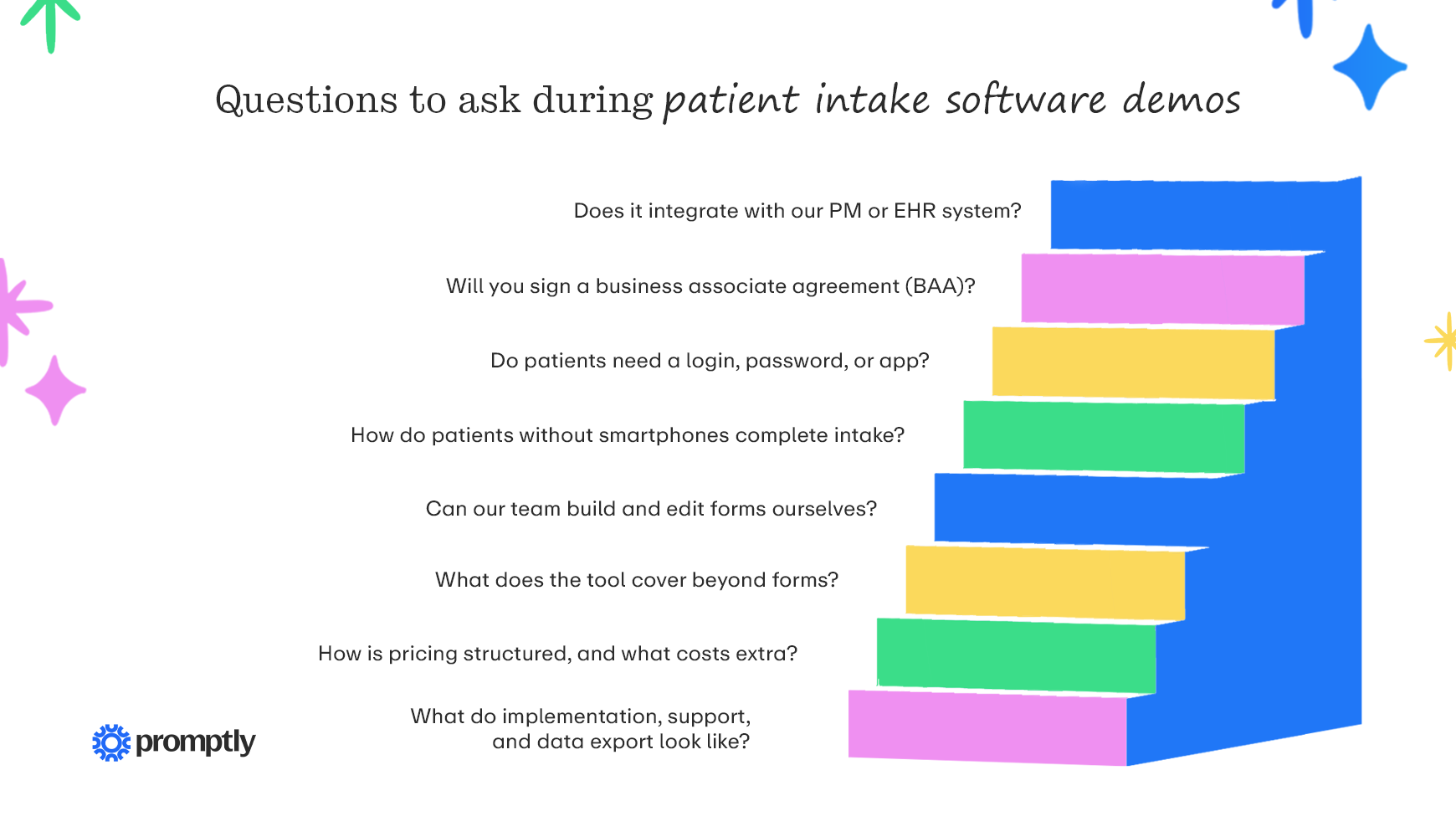
- Does it integrate with our PM or EHR system? Name your system and version, then ask the vendor to run a sample form through it during the demo. Watch how patient details are handled—do they flow directly into your systems, or does the patient intake solution generate a PDF that your staff must manually process?
- Will you sign a business associate agreement (BAA)? Under HIPAA, a practice may share patient information with a vendor only with written assurances, usually in a BAA. Follow up on encryption, access controls, and audit logs to confirm the tool supports HIPAA-compliant forms.
- Do patients need a login, password, or app? If the answer is yes, find out what completion rates look like. Also ask what happens when a patient forgets their password.
- How do patients without smartphones complete intake? Some patients will always prefer to check in at the office. Explore whether the vendor offers a kiosk, tablet, or staff-assisted option, and whether information entered that way reaches the patient’s chart the same way mobile intake does.
- Can our team build and edit forms ourselves? Your forms may change as you add services, update consent language, or adjust questions for different visit types. Ask whether your staff can make those changes on their own or whether each update has to go through the vendor, and how long that usually takes.
- What does the tool cover beyond forms? Some tools handle only intake forms, while others also manage eligibility checks, payments, reminders, and scheduling. Knowing the full scope helps you see whether the tool would replace something you already pay for or add one more system to your front office.
- How is pricing structured, and what costs extra? Find out whether the vendor charges per provider, per location, or per transaction. Additionally, ask if you can expect setup, integration, or kiosk hardware fees.
- What do implementation, support, and data export look like? Determine how long a typical rollout takes and who builds your form templates. Ask whether real people answer support, and how fast. Finally, confirm how you'd get your data back if you ever switch.
Before you make a final decision, ask each vendor for references from practices similar to yours in size, specialty, and patient volume. A practice that has used the tool for a year or more can tell you how well it’s held up, how responsive support has been, and how patients have taken to it, which is often more telling than anything you'll see in a demo.
How to roll out patient intake software and measure results
Even the best patient intake software can stall if the medical practice is overambitious with launch. A staged rollout gives your team time to learn the new workflow and gives patients time to get used to it. Once it's live, the right metrics tell you whether it's actually making check-in and intake easier.
Follow these steps for a smooth launch:
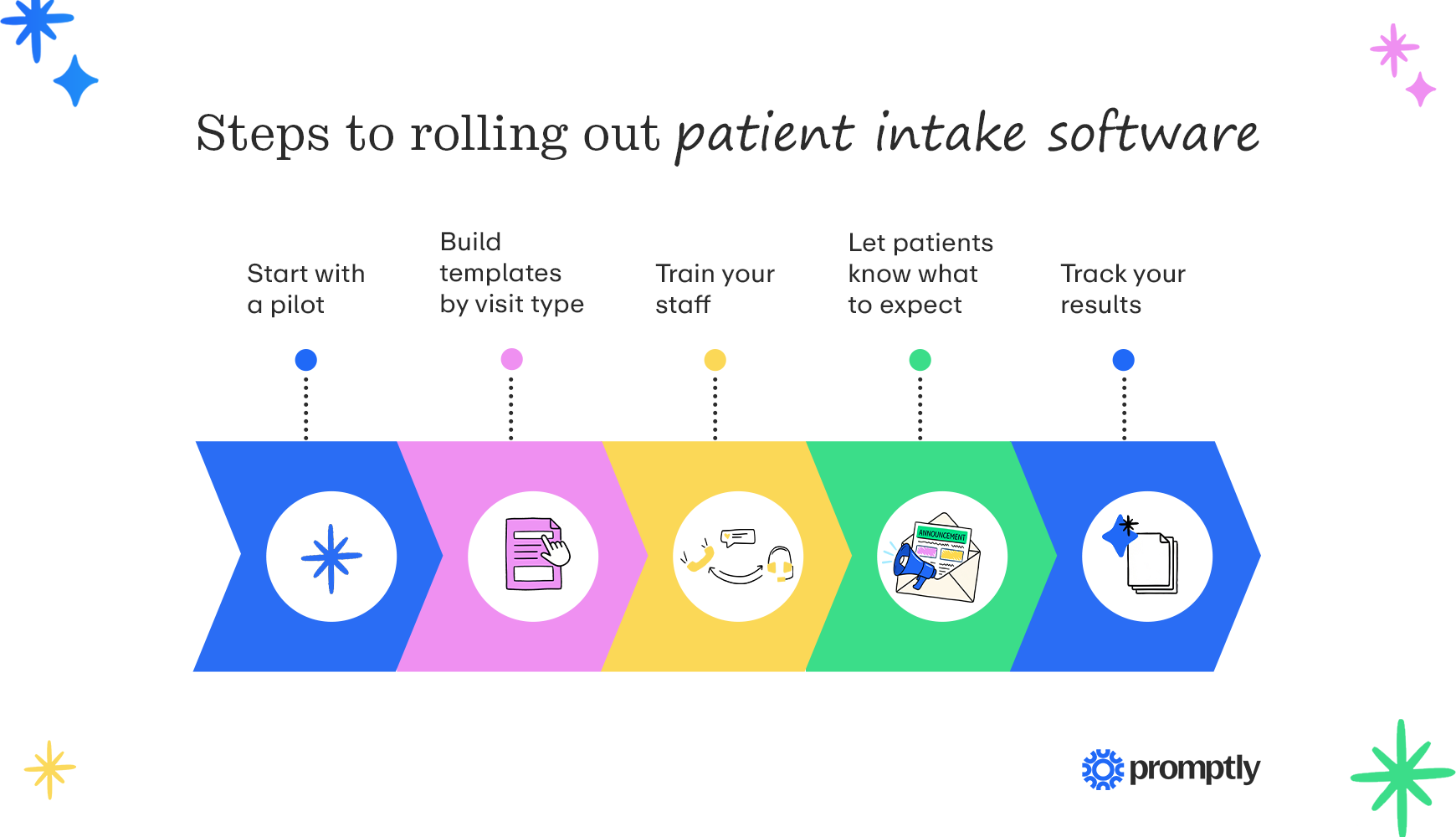
- Start with a pilot: Launch your digital patient intake software with one provider or location for a few weeks to work out any issues before rolling it out across the practice.
- Build templates by visit type: Create separate templates for new patients, returning patients, and procedures. Then, cut every question the visit doesn't need to keep intake forms streamlined and convenient to fill out.
- Train your staff: Before launch, walk your front desk team through the new check-in process and how to handle forms that require follow-up. It also helps to have one expert on staff who knows the system well and can answer questions as they come up.
- Let patients know what to expect: Patients can be wary of online links if they aren’t expecting them. Before the first intake links go out, let patients know they'll receive a text or email with their forms and why. Keep an in-office option available, such as a check-in kiosk, for those who'd rather complete intake upon arrival.
- Track your results: Look at how many patients finish intake before their visit and how often staff still need to step in to fix or complete information. Over time, you can also compare check-in times and registration-related denials to their levels before launch.
Give your team a few weeks to settle into the new process before drawing conclusions. After that, checking the numbers once a month will show you where patients tend to get stuck and which forms might need adjusting. Don’t be afraid to ask staff and patients for feedback as well to garner insights that the data doesn’t show you.
Promptly’s approach to patient intake software
Promptly’s patient intake software is one connected part of the front office rather than a standalone tool. Everything runs in the same all-in-one Patient Experience Suite™, built for specialty practices, so information doesn't get lost as it moves between systems.
In practice, that approach looks like this:
- Login-free smart links: Patients receive a secure link via text or email and complete intake, check-in, and payment on their phones in seconds. There's no portal, password, or app download standing in their way.
- Structured write-back and real-time eligibility: Intake data flows into the practice's PM system. Promptly's real-time eligibility checks reduce staff time spent verifying and correcting insurance information by up to 60%.
- Estimates, payments, and kiosk check-in in one place: Upfront Patient Cost Estimates help practices anticipate an 85% increase in pre-surgery collections. For patients who prefer to check in on arrival, Promptly Kiosk Pro handles in-office intake, ID and insurance card scanning, and payment collection.
- Measurable results for specialty practices: Practices see a 55.2% decrease in patient wait times. The average practice also reclaims 1,728 staff hours a year and saves $88,000 a year by consolidating software platforms.
- A partner, not a vendor: Promptly works alongside practices to automate the tedious stuff, so staff can spend their time on patients. Our team builds a one-on-one relationship with each practice to better understand your goals.
If your front desk is still retyping forms or switching between separate tools for intake, eligibility, and payments, Promptly brings it all together on one platform. Patients get a quick, login-free way to complete intake on their phones; your staff gets accurate information in the PM system without manual entry; and your practice gets a partner focused on giving your team more time for the people stuff.
Patient intake software FAQs
Will patient intake software replace my front desk staff?
No. Patient intake software is a tool to make your staff’s lives easier. It takes over repetitive tasks like retyping forms, sending reminders, and checking coverage, but your front desk staff are still essential. Staff follow up on anything the software flags, help patients who need assistance, and welcome people when they arrive. The goal is to give a busy team more time for that work, not to reduce the team.
Is patient intake software HIPAA compliant?
It can be, if the vendor signs a business associate agreement and protects data with encryption, access controls, and audit logs. Compliance also depends on how your practice configures and uses the tool. If you’re concerned, ask about HIPAA compliance during your software demo or in other discussions with vendors.
How much does patient intake software cost?
Pricing usually depends on the number of providers or locations, the features included, and any hardware, such as kiosks. Ask vendors for a full quote that includes setup and integration fees.
How long does implementation take, and how do patients adapt to it?
Implementation time depends mostly on how complex your integration is, how many form templates you need to build, and how many providers or locations you're bringing on. Ask each vendor for a typical timeline for practices like yours.
As for patients, many adapt quickly, since completing intake through a text link feels much like other everyday tasks on their phones, such as confirming an appointment or paying a bill. Letting them know about the change ahead of time makes the transition even smoother.
As you narrow down your options, involve the people who handle check-in every day. Your front desk staff knows exactly where intake slows down today, and their input will help you choose a tool your team is comfortable using from the start.
With the right tool in place, your front desk can spend less time on paperwork and more time helping the patients in front of them.
If you want to learn more about patient intake, check out these resources:
- Patient Intake: Best Practices to Prevent Painful Paperwork. The right software is only one part of a smooth intake process. Learn the workflows, best practices, and metrics that help practices get patients through intake with less paperwork.
- Digital Patient Intake: Creating Better Patient Experiences. Patient intake software only pays off when patients find it easy to use. Discover how digital check-in looks from the patient's side and what makes the experience smoother for everyone.
- Top 9 HIPAA-Compliant Form Builders + Design Best Practices. Every digital intake form needs to protect patient information from the moment it's submitted. Compare HIPAA-compliant form builders and learn how to design forms that keep data secure.
Take the pain out of patient intake.
With Promptly, your medical practice can seamlessly collect forms, verify insurance, and accept payments before patients arrive.
Related Posts
About the author
Dr. Anish Kapur is a physician and tech entrepreneur advancing healthcare through innovation. He co-founded one of the first cloud-based EMR systems for specialists and now leads Promptly Technology Inc., whose Patient Experience Suite™️ helps specialty practices streamline workflows, boost patient engagement, and accelerate revenue—all in one modern platform.

Share this article: