
Patient Satisfaction Surveys: Tips and 40+ Questions to Ask
Patient experience and satisfaction are everything to your medical practice’s longevity. From your waiting room’s atmosphere to the user-friendliness of your tools, there are lots of opportunities for your practice to prioritize patient experience. And it’s well worth your time—improving patient satisfaction boosts patient retention, reputation, and revenue.
The best way to start is by going directly to the source. Patients provide valuable insights that might fall in your team’s blind spots.
In this guide, we’ll explore the easiest way to collect patient feedback—patient satisfaction surveys—explaining why they’re beneficial, how to create them, and what questions to include. By prioritizing patient experience, you can go above and beyond to build a thriving, loyal patient community.
Table of Contents:
- Patient satisfaction survey FAQs
- Is your patient satisfaction survey strategy optimized?
- 40 questions to ask on your patient satisfaction surveys
- How to create a winning patient satisfaction survey

Patient satisfaction survey FAQs
What are patient satisfaction surveys?
Patient satisfaction surveys are strategic data collection tools designed to evaluate the entire patient experience. They quantify how patients perceive every interaction with your practice, from the digital front door (website, scheduling portals, intake forms, etc.) to the clinical appointment itself and the post-visit billing process.
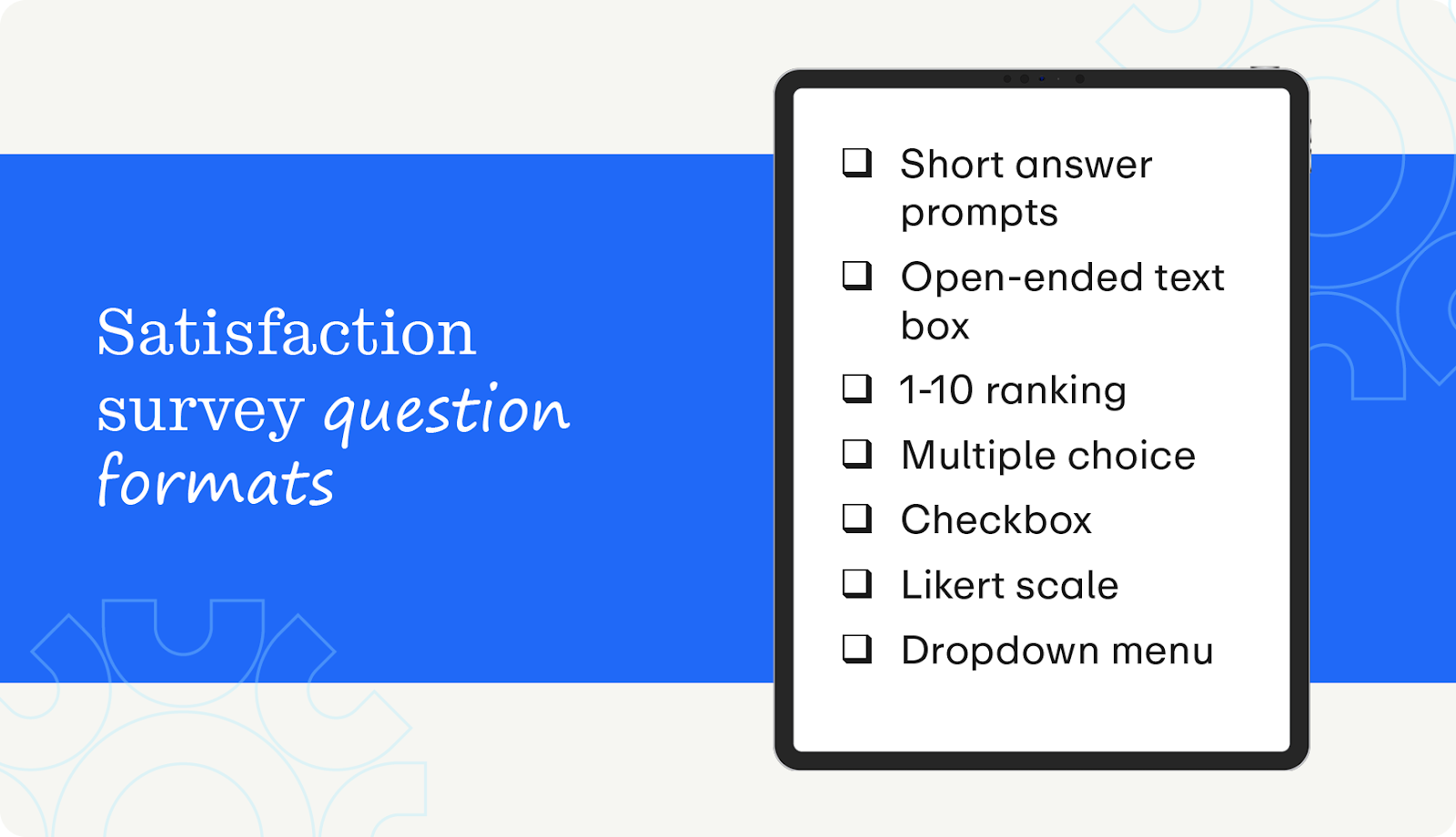
Surveys collect information with a variety of question formats, including:
- Qualitative (gauging abstract opinions):
- Short answer prompts
- Open-ended text boxes
- Quantitative (measuring quantifiable data):
- 1-10 ranking
- Multiple choice
- Checkbox/Select all that apply
- Likert scale (e.g., 1-5 scale from Strongly Disagree to Strongly Agree)
- Dropdown menus
We’ll provide you with examples of questions from across this spectrum later.
Why are patient satisfaction surveys important?
A practice cannot survive on clinical excellence alone; it must also master the patient experience. That’s where satisfaction surveys come in! Here are some specific benefits of sending patient satisfaction surveys:
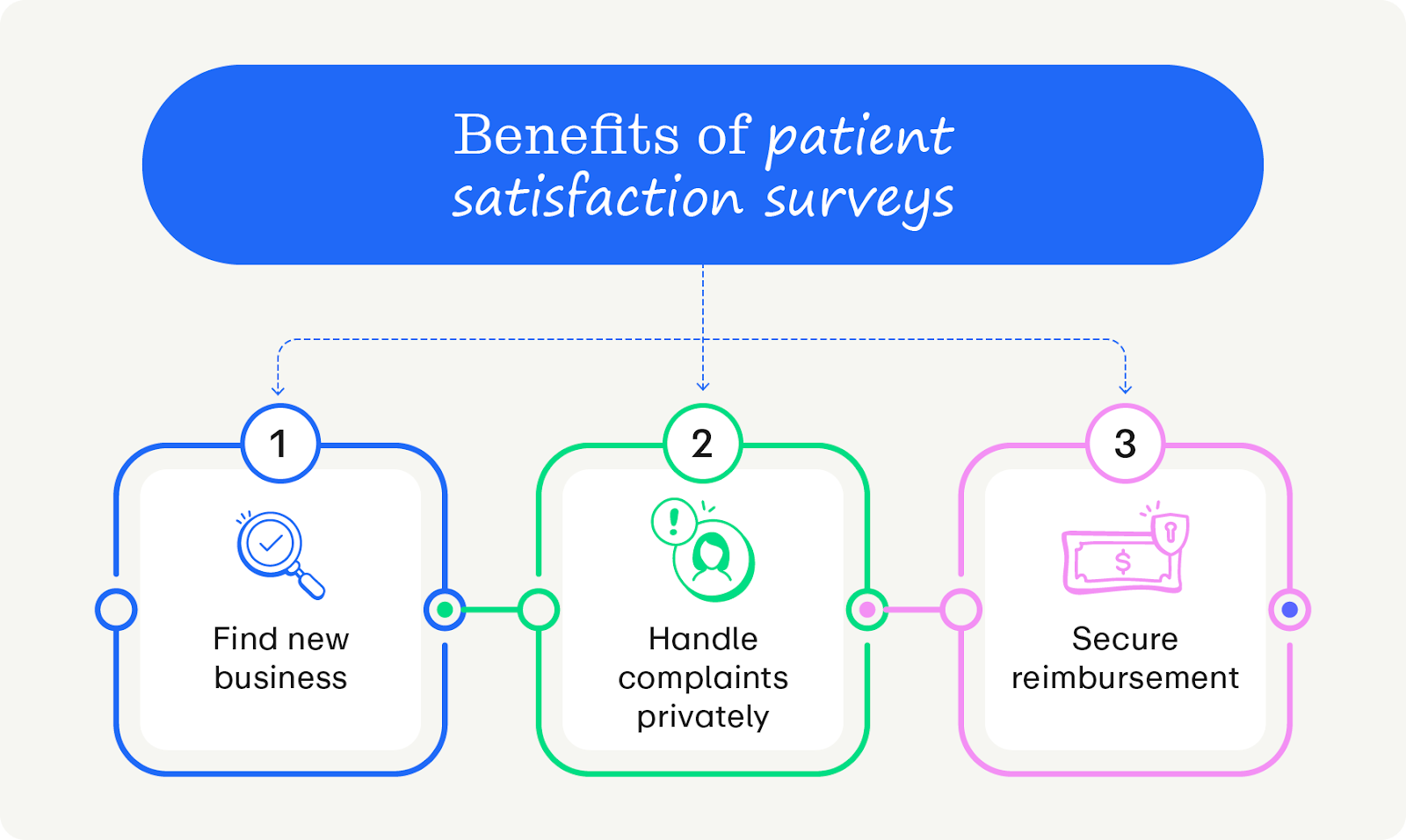
- Find new business: 93% of consumers read local reviews when gauging the quality of a local business, and 87% of people require a 3–5 star rating to even consider supporting a business. Surveys simplify collecting positive testimonials that you can use to build an excellent reputation.
- Handle complaints privately: If you get a negative review, smart surveys give you the chance to intercept a complaint privately before it goes public. That way, you can make it up to the patient, winning their loyalty and preserving your credibility.
- Secure merit-based reimbursement: Patient satisfaction scores are a key factor in government value-based reimbursement programs for Medicare and Medicaid, such as Merit-based Incentive Payment System (MIPS) and Hospital Consumer Assessment of Healthcare Providers and Systems (HCAHPS). To maximize government reimbursements, a robust survey strategy is essential for capturing the necessary data.
Who benefits from patient satisfaction surveys?
While they may seem like a tool for management, a strong survey strategy benefits every stakeholder in the healthcare ecosystem:
- Patients get a direct channel to voice their concerns and feel heard. When practices act on this feedback, patients experience less friction and receive better care.
- Doctors require stellar reputations to keep the lights on. Smart surveys systematically generate positive reviews, which drive new patient volume and revenue.
- Practice managers cut the guesswork and access actionable insights into the practice’s performance. They can pinpoint exactly where the process is breaking down and fix it.
- Other staff members: Surveys are great for morale. Sharing shout-outs from happy patients about specific nurses or receptionists boosts team culture and reduces burnout.
What is a good response rate for a patient satisfaction survey?
Our team at Promptly has found the industry average response rate is around 5-10%. However, practices that optimize patient satisfaction surveys (and use tools like Promptly—more on that later) can expect an 18-20% response rate!
Is your patient satisfaction survey strategy optimized?
Take our quiz and enhance your survey strategy!
40+ Questions to ask on your patient satisfaction surveys
Pro tip: Do not ask all 40 questions at once! Selecting too many questions can overwhelm your patients and make them abandon the survey. We recommend selecting 3–5 questions that align with your current operational goals (e.g., if you just launched a new website, focus on the “digital experience” questions).
Also, these questions can be adapted to any of the aforementioned question formats, depending on the information your practice needs to collect.
Digital navigation
- How easy was it to schedule your appointment online?
- Did you find our website easy to navigate?
- Were you able to find an appointment time that worked for your schedule?
- If you called, how long did you wait on hold before speaking to someone?
- Did you receive an appointment confirmation immediately after booking?
Registration and logistics
- Did you receive your intake forms via text/email before your visit?
- Were the digital forms easy to complete on your phone?
- Did you have to repeat information you had already entered online to the staff?
- Did you know your estimated cost (insurance copay/deductible) before arriving?
- Was it easy to find our office location and parking?
- Was the check-in process at the front desk quick and efficient?
Front desk and waiting room
- Was the reception staff friendly and welcoming upon your arrival?
- Did the front desk staff clearly explain what information was required and how to fill out your forms?
- Was the waiting area clean and comfortable?
- Did you feel your privacy was respected while speaking at the front desk?
- How long did you wait in the lobby past your scheduled appointment time?
- If there was a delay, were you kept informed about the wait time?
Clinical experience
- How long did you wait in the exam room before the provider entered?
- Did the provider seem familiar with your medical history before starting?
- Did the provider listen carefully to your concerns?
- Did the provider explain things in a way that was easy to understand?
- Did the provider spend enough time with you?
- Did you feel included in decisions about your care or treatment?
- Did the provider show respect for what you had to say?
- Did you leave the appointment feeling confident in your treatment plan?
Telehealth experience
- Was it easy to join the video call via the link provided?
- Could you see and hear the provider clearly during the visit?
- Did the virtual visit feel as private and secure as an in-office visit?
- Did the provider engage with you through the screen?
- Overall, was the telehealth experience as effective as an in-person visit?
Post-visit experience
- Did you receive clear instructions on what to do after the appointment?
- Did the staff help you schedule any necessary referrals or follow-up tests?
- Was it easy to contact the office with follow-up questions?
- Did you receive an easy-to-understand billing statement?
- Was it convenient to pay your bill?
- Overall, were post-visit updates about your care relevant and timely?
Big picture questions
- On a scale of 1-5, how much effort did you personally have to put forth to get your desired patient experience?
- How would you rate your overall experience with our practice today?
- Do you plan to use our practice for your future medical needs?
- Is there anything else we could have done to make your experience better?
- On a scale of 0-10, how likely are you to recommend our practice to a friend or colleague?
How to create a winning patient satisfaction survey
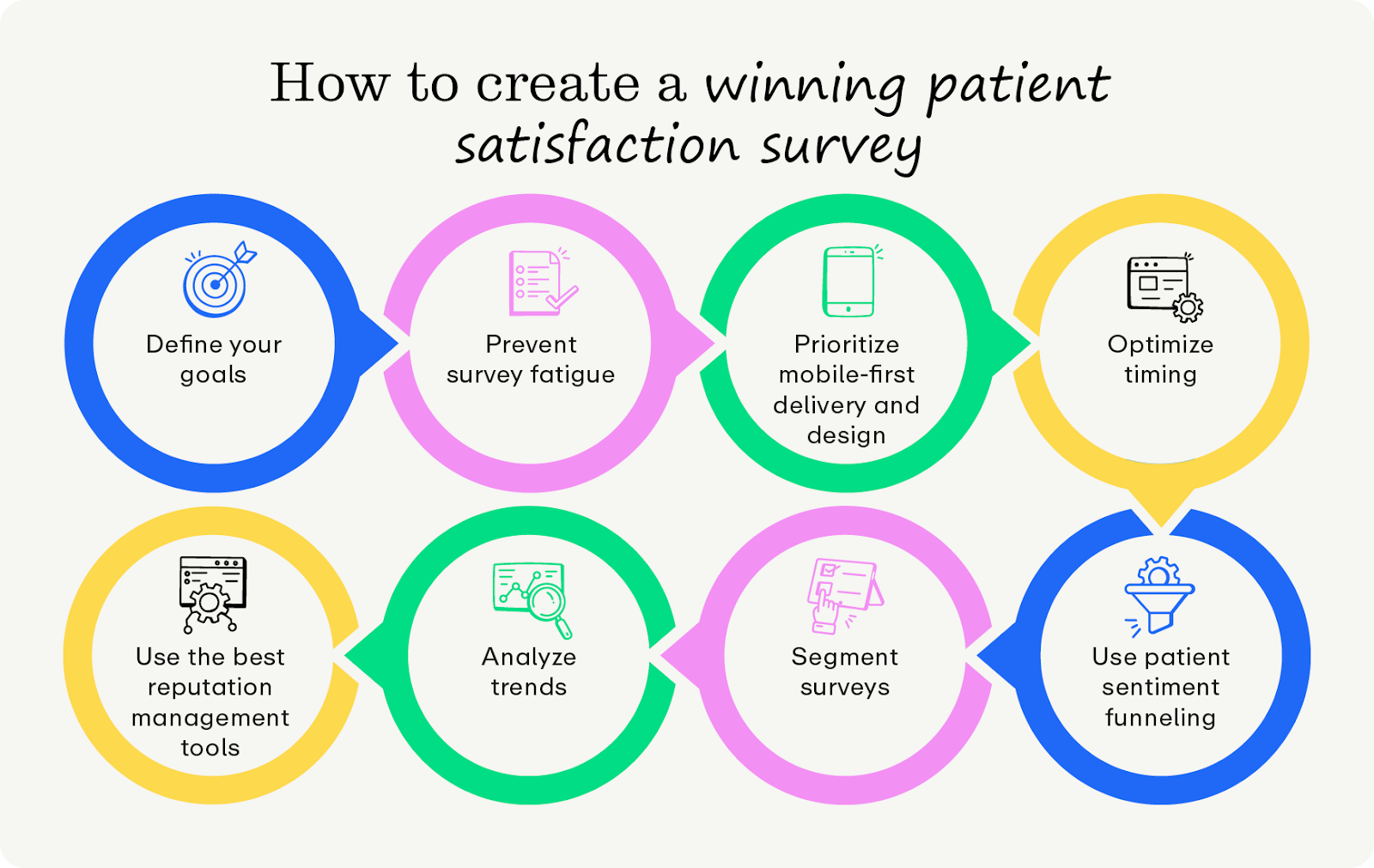
1. Define your goals
Before writing a single question, you must determine what specific operational problem you are trying to solve. This is especially true because brevity is key to effective surveys, leaving little room for error. Craft highly relevant surveys by:
- Identifying Key Performance Indicators (KPIs): Are you trying to lower patient churn, improve front desk efficiency, or boost your Google Star rating? Your goal dictates your questions and survey format.
- Establishing baselines and benchmarks: Create a foundation to build your strategy on. For instance, if you currently only get 15 survey responses per month, you might set a goal to get 50 per month.
- Getting feedback from staff across the practice. The best satisfaction surveys are informed by many perspectives practice-wide. Ask a sample size of staff if they notice any gaps in the satisfaction survey before publishing it publicly.
A generic "How are we doing?" survey rarely provides data you can use to fix a broken process. Get as specific as possible during this stage—your survey strategy will be stronger for it down the line.
2. Prevent survey fatigue
Survey fatigue is the number one reason for low response rates. According to the National Library of Medicine, there are four types of survey fatigue to look out for:
- Oversurveying occurs when the patients are inundated with multiple surveys in a short period of time.
- The fix: Set a cap on the number of surveys sent within a given timeframe. Configure your reputation management software to ensure only the most relevant surveys are distributed.
- Question fatigue occurs when surveys ask the same question in different ways.
- The fix: Ensure that each question focuses on a different area.
- Long surveys make it challenging for patients to focus and contribute to drop-off.
- The fix: Limit surveys to 3-5 questions.
- Disingenuous surveys occur when patients believe their responses will not have any real-world impact.
- The fix: Thank patients for their time taking the survey, and follow up with process updates when they occur. If you identify a common trend in feedback, but implementing the requested change is not feasible, directly address the issue and provide a clear explanation for why the change cannot be made.
If you’re noticing a drop-off in survey responses, your patients are likely experiencing fatigue. Run your surveys by other staff members to see whether they demonstrate any of the four sources of fatigue.
3. Prioritize mobile-first delivery and design
Your surveys can only make an impact if they reach your patients! Meet patients where they are by designing and delivering your surveys with mobile devices in mind. Be sure to:
- Send easy, no login links to surveys via SMS.
- Optimize image and media sizes for fast loading on mobile networks.
- Use large, tap-friendly buttons and clear contrast for better visibility on small screens.
- Test the survey on various mobile devices and screen sizes.
- Ensure accessibility by using proper heading structure, color contrast, and alternative text for images.
Effective mobile experiences are quick, convenient, and easy to understand. A short 3-5 question survey fits that mold perfectly, so make sure you include only the most important information.
4. Optimize timing
Data accuracy degrades with time. Asking a patient about their visit three weeks later can negatively impact your dataset. Capture in-the-moment perspectives with optimally-timed surveys. Keep these best practices in mind when building your own schedule:
- Integrate your survey tool with your practice management (PM) system to automatically trigger the survey 1–2 hours after the appointment checkout.
- Set logic rules to ensure patients with frequent appointments don’t receive a survey after every single visit.
- Optimize delivery for times when patients are likely to be free, such as early evening or immediately post-visit, rather than overnight.
To find the best time, test several different schedules to see which has the highest response rate.
5. Use patient sentiment funneling
A smart, digital survey strategy acts as both a reputation booster and a safety net. By funneling patients and segmenting next steps based on their initial rating, you can maximize positive public reviews while handling negative feedback privately. Here’s what a segmented approach might look like for a star-based survey:
- If a patient rates you 4 or 5 stars, the system automatically prompts them to copy that feedback to public sites like Google, Zocdoc, or Healthgrades (or, better yet, asks their permission and posts the review for them).
- If a patient rates you 1-3 stars, route them to an internal feedback form instead of public sites. This allows you to reach out to them personally so you can make it right, showing them you care about the relationship and mitigating the risk of a public negative review.
Regardless of the specific review funneling logic, configure your reputation management software to instantly notify your team via email or text when a negative review comes in, allowing for immediate service recovery.
6. Segment surveys based on patient base
Your practice might use surveys for many use cases, and patients should only receive the surveys that are most relevant to them. For instance, asking a telehealth patient about parking availability or a returning patient about new patient intake forms could create confusion and lower data quality. You might segment surveys based on:
- Visit type (telehealth vs. in-person): Ask about the environment for each call location. For telehealth, ask about connection stability and audio quality. For in-person, ask about lobby cleanliness and front-desk friendliness.
- Patient lifecycle (new vs. returning): For new patients, gauge their first impression of your practice—e.g., ease of finding the clinic, intake paperwork, website clarity. For established patients, focus on how the practice has supported their evolving health journey. These questions might be about provider communication, care continuity, and health outcomes.
- Department or procedure: A post-surgery survey might ask about the clarity of post-care instructions, whereas a routine check-up survey might prioritize efficiency and wait times.
As your practice’s priorities evolve, so should your surveys and segmentation criteria. For example, if you are introducing new patient engagement software to simplify digital intake, you should create a temporary, ad-hoc survey during the pilot phase. Send this survey to established patients who used the previous intake method, asking specifically for their feedback on the new system. This scope is designed to gather feedback from patients who can evaluate both methodologies, providing unique insight into how you’ve grown.
7. Analyze trends
Looking at surveys one by one is helpful for service recovery, but zooming out and considering responses as a whole empowers you to act on overarching trends. Revisit the KPIs you set during the goals process, which might include:
- Survey completion rate is the raw percentage of patients who finish the survey.
- Average star rating is your aggregate score across public platforms like Google, Healthgrades, and Vitals.
- Review volume growth is the number of new public reviews generated per month compared to patient volume.
- Digital adoption rate is the percentage of patients utilizing self-service tools, such as online scheduling or the patient portal.
- Patient effort score (PES) is a metric measuring how easy it is to interact with your practice (e.g., "How easy was it to schedule your appointment?").
- Net promoter score (NPS) measures how likely your patients are to recommend you to their friends and family. This could be measured on a scale of 1-10 or 10-100; the average NPS for healthcare providers is 30-50. Anything above a 70 is considered exceptional.
The metrics mentioned above can be easily tracked via dashboards and reports, but tracking qualitative KPIs can be tricky. To track qualitative feedback, standardize your questions. Instead of relying solely on open-ended text fields, convert feelings into measurable data points by using Likert scales for specific sentiment drivers.
Also, checking these KPIs constantly can make it harder to see the full picture. Set a regular cadence for analyzing KPIs (monthly or quarterly should work for most practices).
8. Use the best reputation management tools
All of these best practices are only possible with the right tools. Enter Promptly, the leading patient engagement solution for practices like yours. Promptly’s reputation management software does all the hard work for you with features like:
- Review generation
- Patient segmentation
- Survey creation and delivery
- Dashboard and KPI customization
- Widgets that post reviews directly to your website
Besides reputation management tools, Promptly offers an entire patient engagement and management suite that sets the bar in the healthcare tech space. Here’s how we win:
- Significantly higher response rates. Featuring only 3-5 questions and a streamlined look, Promptly’s surveys solve fatigue, respecting the patient’s time. Our results speak for themselves: practices using Promptly achieve an 18–20% response rate, as opposed to the industry standard of 5-10%.
- Strategic sentiment funneling. Promptly doesn't just collect feedback; the system intelligently routes it to protect your practice's reputation while boosting its public profile. Patients who share a positive experience are automatically funneled to public sites like Google to leave a review, turning satisfaction into marketing visibility. Patients who indicate a negative experience are routed to an internal feedback form for direct service recovery.
- Automated, contextual timing. Unlike generic tools that blast surveys at random, Promptly’s system allows for appointment-specific automation. The system segments surveys by visit type to send requests at the most relevant moment; requests are sent the same day for routine visits, whereas surveys are delayed for large procedures so patients have time to recover.
- Actionable data. Promptly’s reputation management tools provide deeper operational insights than simple star ratings. For example, it tracks individual scores for specific doctors and locations, allowing practices to see exactly who is performing well.
- Consolidation with other tools. Promptly isn’t just a satisfaction tool; it’s part of an all-in-one patient engagement suite. Instead of paying for a separate reputation management vendor, Promptly integrates this feature with tools for scheduling, payments, intake, and more. This consolidation saves the average practice $88,000 annually by replacing multiple fragmented software vendors.

Wrapping Up
It’s natural for patients to come into an appointment with some nerves—in fact, over half of all patients report feeling anxious before going to the doctor’s office. However, you help them feel more at ease and show you care about their well-being by listening to what they have to say. By prioritizing patient satisfaction surveys, you create an environment where patients feel comfortable, providers feel confident, and the community is enthusiastic about choosing your care team.
Want to learn more about healthcare technology? Check out these resources:
- Master Insurance Eligibility Verification with These Tips. One of the most important aspects of patient satisfaction is insurance availability. Improve your verification tactics with these best practices.
- Patient Intake: Best Practices to Prevent Painful Paperwork. Patient intake is often the first impression your practice makes on new patients. Learn how to optimize your approach with this guide.
- An Ultimate Guide to Automation in Healthcare: 15 Use Cases. Automation isn’t the future of healthcare—it’s the present. Get up to speed with these efficient use cases.
- An Essential Guide to AI Healthcare Technology for Practices. Want to leverage AI in your practice? This healthcare-specific guide has you covered with tips for getting started.
Related Posts
About the author
Dr. Anish Kapur is a physician and tech entrepreneur advancing healthcare through innovation. He co-founded one of the first cloud-based EMR systems for specialists and now leads Promptly Technology Inc., whose Patient Experience Suite™️ helps specialty practices streamline workflows, boost patient engagement, and accelerate revenue—all in one modern platform.

Share this article:

We automate the tedious stuff so people can do the people stuff